


In an era where healthcare organizations are increasingly targeted by cyber threats, the importance of a robust data backup strategy cannot be ignored. Organizations are grappling with an alarming rise in cyber threats and the risk of data loss, which can cripple operations. Grasping the ins and outs of data backup is crucial for keeping operations running smoothly. This article will explore the critical role of data backup in healthcare, its historical evolution, and the essential features of effective strategies. Ultimately, a comprehensive backup plan is not merely a precaution; it is essential for ensuring business continuity in the face of evolving cyber threats.
In an era where cyber threats loom larger than ever, the healthcare sector must prioritize cybersecurity to safeguard sensitive patient data and maintain trust. What is a data backup? It is the procedure of making duplicates of digital content and storing them in a distinct place to protect against loss from risks such as hardware malfunction, unintentional deletion, or cyberattacks. It's crucial to ensure that you can quickly restore critical information when disaster strikes, thereby maintaining business continuity. As we approach 2026, companies are increasingly vulnerable to disruptions, making a proactive approach vital. The focus on information recovery strategies is more pronounced, with organizations acknowledging that strong recovery solutions are not simply optional but vital for operational resilience.
Backups can be categorized into several types:
To understand what is a data backup, it is essential to recognize that the main objective of information preservation is to ensure integrity and accessibility, enabling companies to restore quickly from interruptions. Did you know that organizations with effective recovery plans can bounce back from a ransomware attack in as little as 3 hours? This emphasizes the critical role of prompt information restoration. As of 2026, Gartner anticipates that a significant number of companies will prioritize backing up SaaS information due to the risks linked to accidental deletions and security incidents. Experts highlight that a well-executed recovery strategy not only avoids disasters but also generates competitive advantages, ensuring that businesses remain resilient, compliant, and cost-effective in a data-driven environment. Furthermore, it is significant that 85.6% of reported information loss incidents take place in cloud storage, highlighting the necessity of safeguarding cloud-stored information. Without a robust information preservation strategy, organizations risk not only operational disruptions but also their reputation and financial stability in an increasingly digital world.
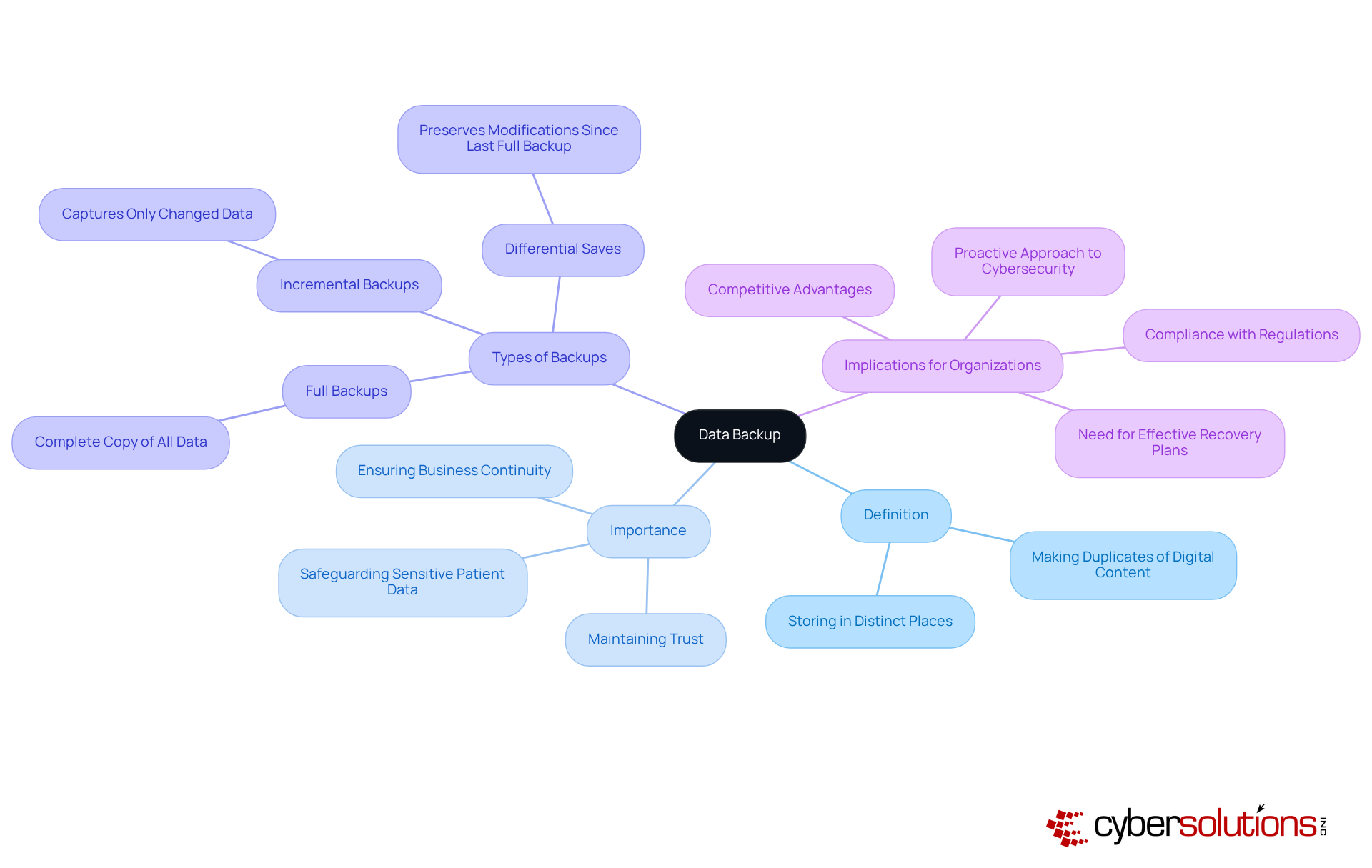
In an era where cybersecurity breaches are rampant, the preservation of information is paramount for business continuity in healthcare. Information preservation is essential, especially in a setting where breaches and system failures are common. A strong recovery plan is crucial for organizations to secure their operations and uphold adherence to regulations like HIPAA, which mandates the protection of patient information. For healthcare providers, demonstrating a 72-hour restoration capability for critical patient information is not just a best practice; it’s a regulatory requirement.
A well-executed recovery system reduces the risk of information loss. It also enables swift restoration from incidents, minimizing downtime and maintaining trust with clients and stakeholders. Furthermore, consistent copies can greatly lessen the financial repercussions of breaches. The financial burden of a ransomware attack can cripple healthcare organizations, with costs soaring between $1.8 million and $5 million in 2025. Organizations that prioritize information preservation can avoid expensive penalties linked to non-compliance and improve their overall resilience against cyber threats.
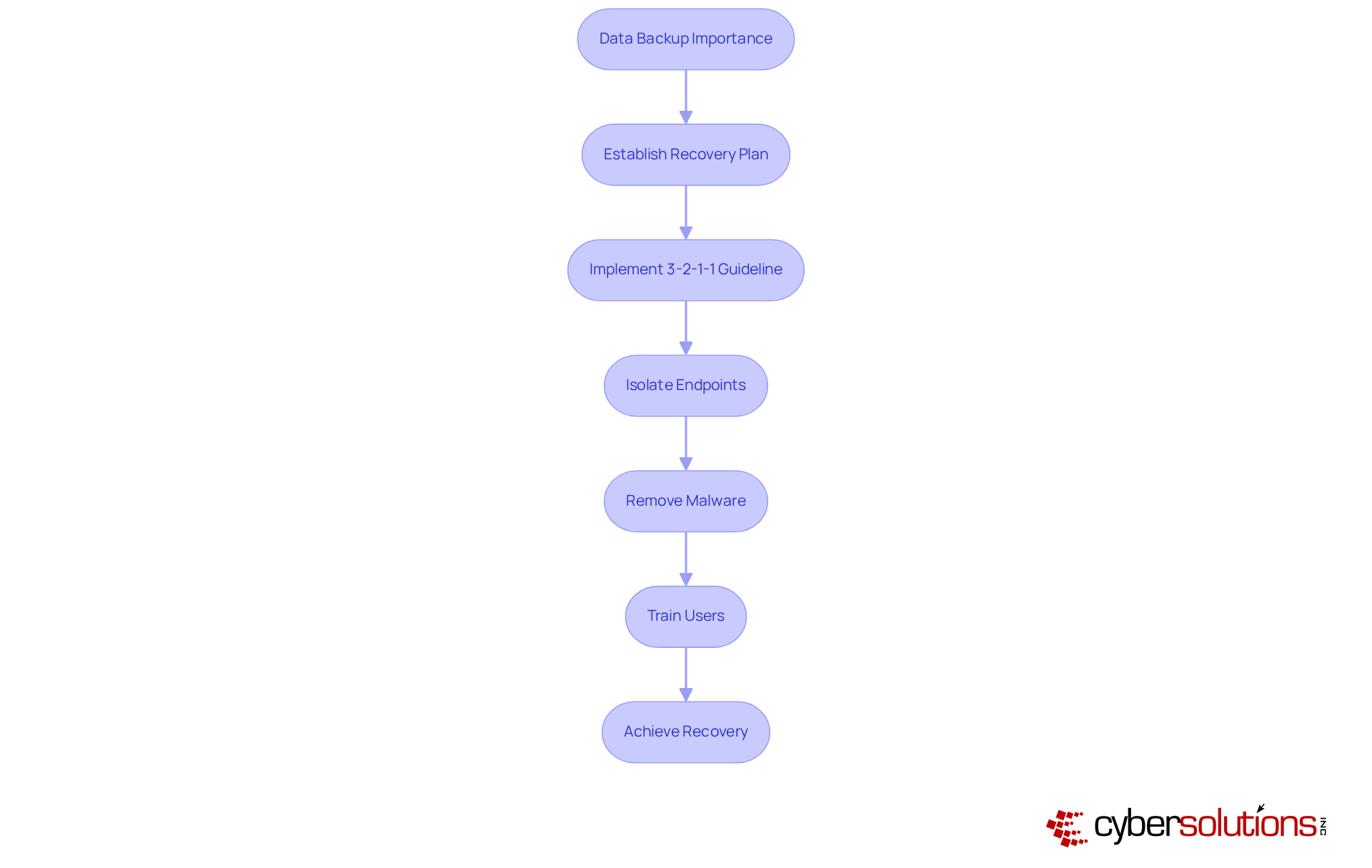
The recent experience of a healthcare provider that Cyber Solutions assisted during a ransomware attack underscores this point. Thanks to Cyber Solutions' swift implementation and specialized knowledge, the provider was able to recover 4,500 endpoints ahead of schedule, improving its security measures to protect patient information and operations against future threats. Acting quickly is crucial to minimizing damage, and having an incident response team physically present within a day helped contain the threat.
Having a structured response plan and a layered approach - like isolating endpoints, removing malware, and training users - helped achieve a faster and more complete recovery. Moreover, adopting the revised 3-2-1-1 recovery guideline, which comprises three copies of information, two distinct media types, one offsite, and one immutable or air-gapped storage, can further enhance their protection strategies. Implementing robust recovery strategies is not just a regulatory necessity; it’s a critical investment in the future of healthcare security.
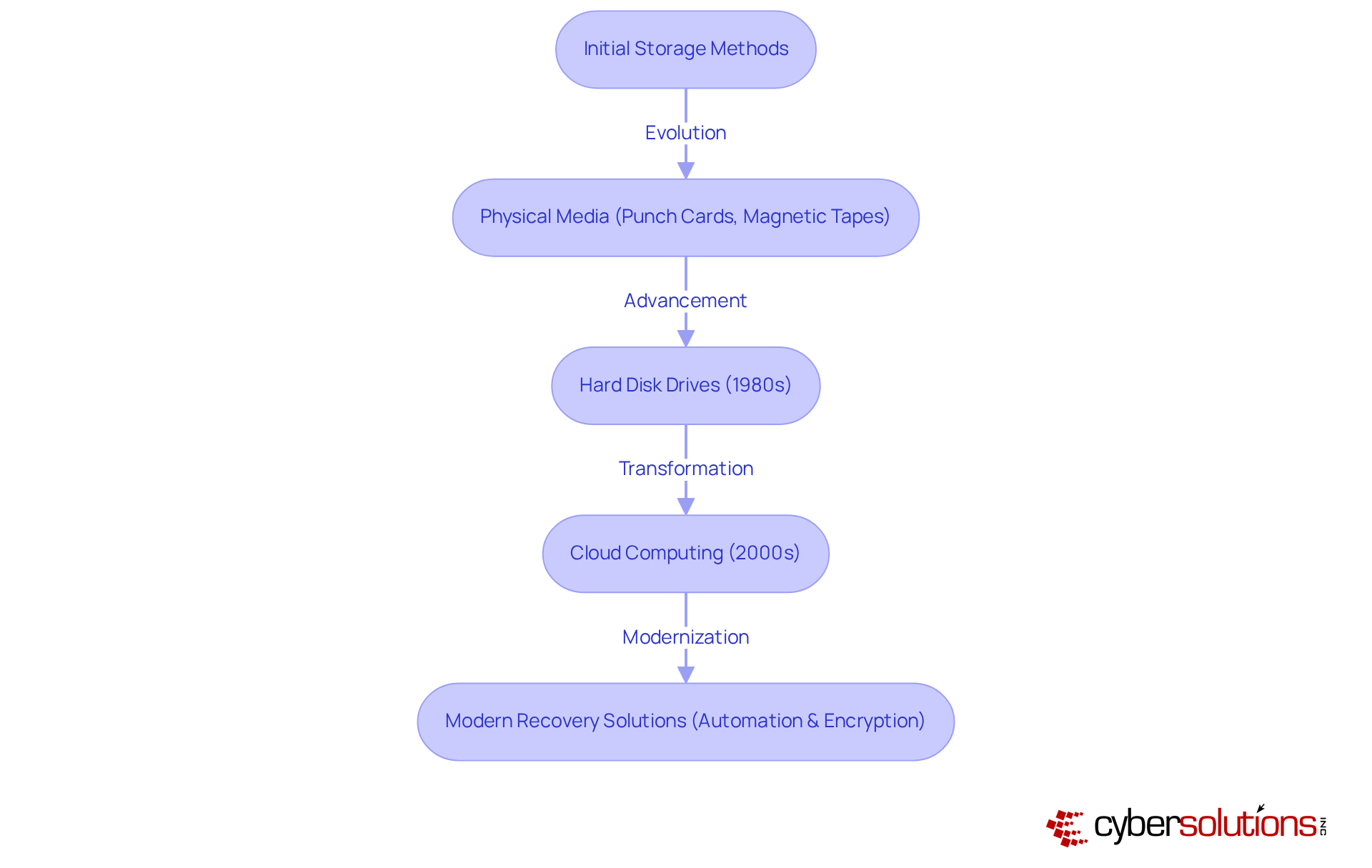
In an era where data breaches can cripple healthcare organizations, understanding the evolution of information storage is crucial for CFOs navigating cybersecurity challenges. Have you ever considered how drastically information preservation has evolved? Initially, information was stored on physical media like punch cards and magnetic tapes, which were cumbersome and limited in capacity.
The arrival of hard disk drives in the 1980s transformed information storage, enabling quicker and more effective restorations. As technology advanced, the emergence of cloud computing in the 2000s changed storage practices, allowing businesses to keep information off-site and retrieve it from any location.
Today’s recovery solutions leverage automation and encryption, underscoring the complexity of managing information and the urgent need for robust security against cyber threats. Without a proactive approach to cybersecurity, the very foundation of healthcare operations remains at risk, demanding immediate attention from leadership.
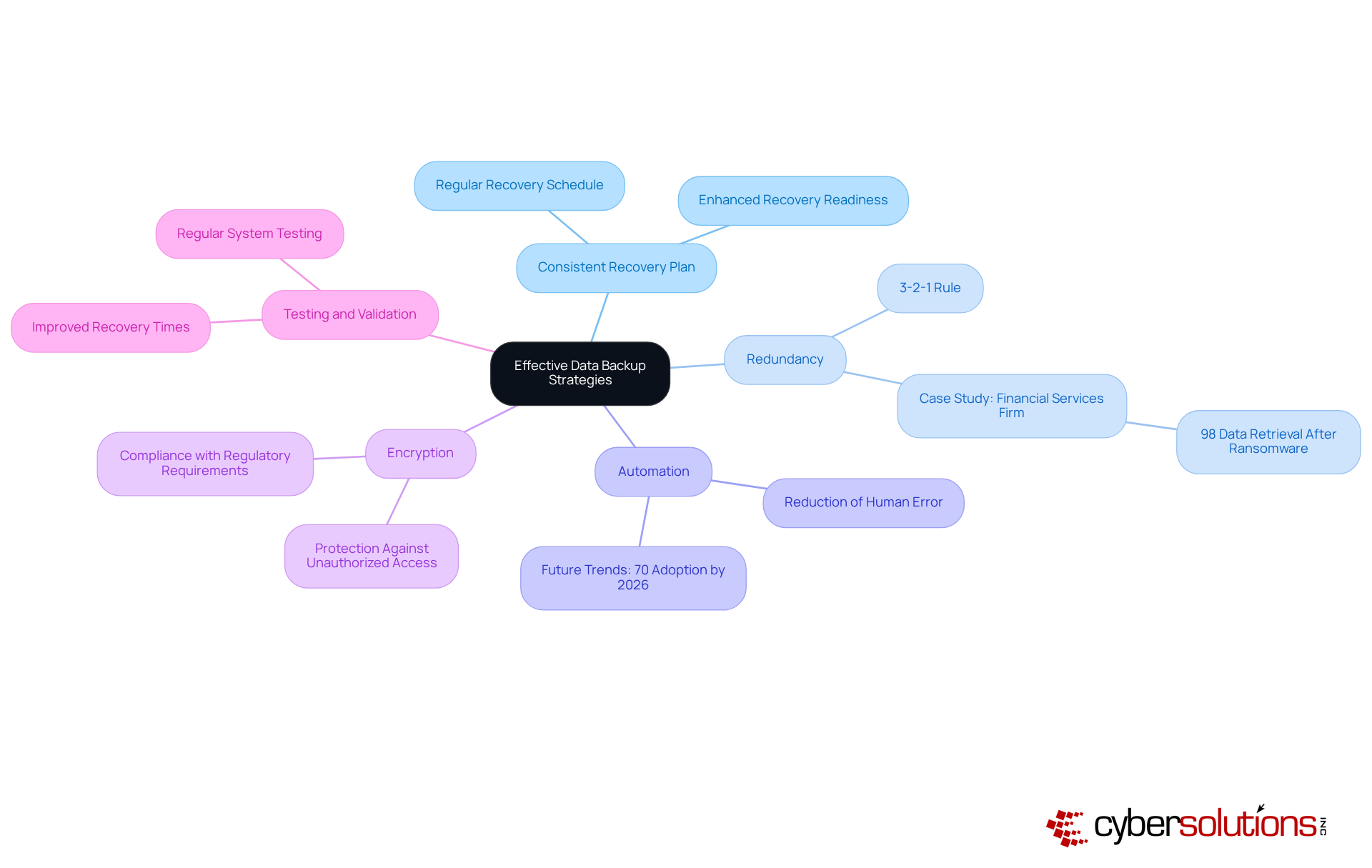
In an era where data breaches can cripple healthcare organizations, knowing what is a data backup and employing effective strategies are not just beneficial; they are essential for survival. Effective data backup strategies are characterized by several key components that enhance reliability and efficiency:
By incorporating these characteristics, organizations can develop a robust backup strategy that addresses what is a data backup, safeguarding their critical data and ensuring operational continuity while complying with industry standards. Without a solid backup strategy, the very foundation of your organization’s operational integrity is at stake, leaving you vulnerable to unforeseen disasters.
In an era where cyber threats loom large, understanding the significance of data backup is crucial for organizations aiming to protect their operational integrity and sensitive information. The core concept revolves around creating duplicates of digital content to guard against loss from various threats. In a landscape increasingly fraught with cyber risks, the need for robust data preservation strategies has never been more critical. Effective backup solutions ensure quick recovery from disruptions, reinforce business continuity, compliance, and resilience.
Throughout this article, we've highlighted key points, including the types of data backups - full, incremental, and differential - and their respective roles in efficient information preservation. The historical evolution of data storage practices illustrates the advancements that have led to today's sophisticated recovery solutions, emphasizing the importance of automation, redundancy, and encryption. With the staggering costs associated with data breaches, especially in sectors like healthcare, implementing a comprehensive data backup strategy is not merely advisable; it is a necessity.
Organizations need to see that a solid data backup plan is more than just a regulatory checkbox; it’s a smart investment in their future. By prioritizing effective data backup practices, businesses can mitigate risks associated with data loss and enhance their competitive edge in an increasingly digital world. It is imperative for leaders to take proactive steps in fortifying their data protection strategies, ensuring they are prepared for unforeseen challenges and poised for continued success.
What is data backup?
Data backup is the procedure of making duplicates of digital content and storing them in a distinct place to protect against loss from risks such as hardware malfunction, unintentional deletion, or cyberattacks.
Why is data backup important for the healthcare sector?
Data backup is crucial for the healthcare sector to safeguard sensitive patient data, maintain trust, and ensure that critical information can be quickly restored in the event of a disaster, thereby maintaining business continuity.
What are the different types of data backups?
The different types of data backups include: - Full Backups: A complete copy of all data at a specific point in time. - Incremental Backups: Only captures information that has changed since the last save, reducing storage requirements and backup durations. - Differential Saves: Preserves all modifications made since the last complete save, balancing speed and storage efficiency.
What is the main objective of data preservation?
The main objective of data preservation is to ensure integrity and accessibility, enabling companies to quickly restore data from interruptions.
How quickly can organizations recover from a ransomware attack with effective recovery plans?
Organizations with effective recovery plans can bounce back from a ransomware attack in as little as 3 hours.
What is expected regarding SaaS data backup by 2026?
By 2026, many companies are expected to prioritize backing up SaaS information due to risks linked to accidental deletions and security incidents.
What are the benefits of a well-executed recovery strategy?
A well-executed recovery strategy can avoid disasters and generate competitive advantages, ensuring that businesses remain resilient, compliant, and cost-effective in a data-driven environment.
What percentage of reported information loss incidents occur in cloud storage?
85.6% of reported information loss incidents take place in cloud storage.
What risks do organizations face without a robust information preservation strategy?
Without a robust information preservation strategy, organizations risk operational disruptions, damage to their reputation, and potential financial instability in an increasingly digital world.
Managed IT Service Provider | Cyber Security | Incident Response | Compliance As A Service | Hosted Phone Service | Managed Security Service Provider | AI As A Service