Introduction
In an era where cyber threats are evolving at an alarming rate, the healthcare sector must prioritize robust cybersecurity measures to safeguard sensitive patient information. Organizations stand to gain significantly by implementing:
- Robust password creation guidelines
- Multifactor authentication
- The use of password managers
All of these can transform their security posture. Yet, how can healthcare organizations ensure these vital measures are not just implemented but consistently followed to protect sensitive patient data from breaches? Despite the implementation of these strategies, many healthcare organizations struggle with consistent adherence, risking patient data security. The stakes are high; without a proactive approach to password compliance, healthcare organizations risk not only their data but also their reputation and patient trust.
Establish Strong Password Creation Guidelines
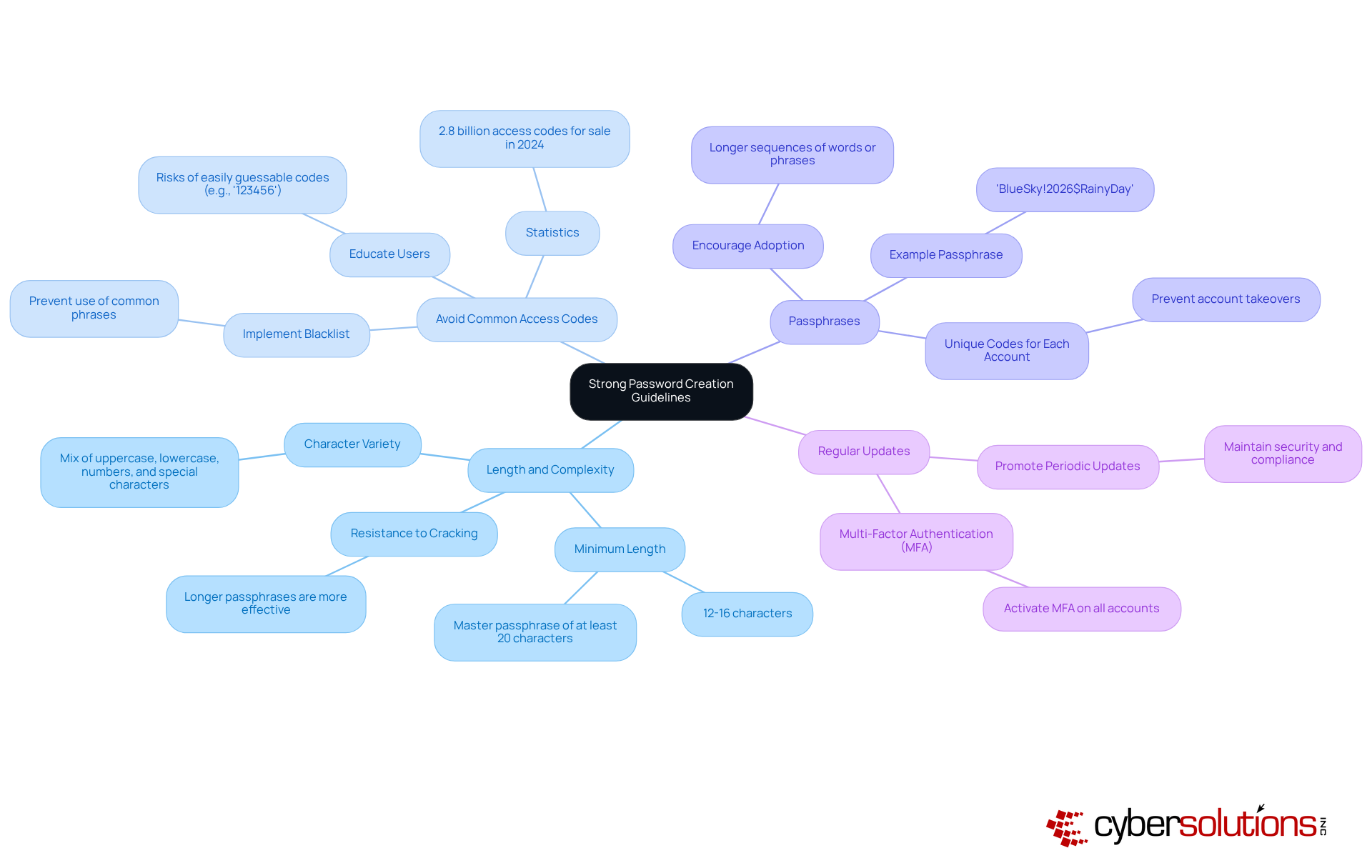
In an era where cyber threats loom larger than ever, the healthcare sector must prioritize robust cybersecurity measures to safeguard sensitive patient data. To enhance password compliance with access codes, organizations must establish clear and robust guidelines for creation that address the evolving landscape of cybersecurity threats. These guidelines should encompass the following key elements:
- Length and Complexity: Passwords should be a minimum of 12-16 characters long, incorporating a mix of uppercase letters, lowercase letters, numbers, and special characters. This complexity greatly enhances resistance to cracking attempts, as longer passphrases are shown to be one of the most effective defenses against automated and brute-force attacks. In fact, a master passphrase should ideally consist of at least 20 characters to maximize security.
- Avoid Common Access Codes: Users must be educated on the risks associated with easily guessable access codes, such as '123456' or 'secret'. Implementing a blacklist for access codes can effectively prevent the use of these common phrases, which are often the first targets for attackers. Statistics indicate that 2.8 billion access codes were offered for sale on criminal forums in 2024, emphasizing the necessity for distinctive codes.
- Passphrases: Encourage the adoption of passphrases-longer sequences of words or phrases that are easier to remember yet difficult for attackers to guess. For instance, 'BlueSky!2026$RainyDay' exemplifies a code that balances complexity with memorability, making it a strong choice for users. Utilizing distinctive access codes for each account is essential to avert account takeovers that frequently initiate with code reuse.
- Regular Updates: Although the latest NIST guidelines recommend changing access credentials only when a compromise is suspected, organizations should still promote periodic updates. Consistently updating access codes can help uphold security and ensure password compliance, which in turn reduces risks linked to possible breaches. Furthermore, activating multi-factor authentication (MFA) on every account that provides it is crucial, as it adds an extra layer of protection beyond mere credentials.
Without these proactive measures, healthcare organizations risk not only financial loss but also the trust of their patients, which is invaluable in today's digital landscape.
Implement Multifactor Authentication for Enhanced Security
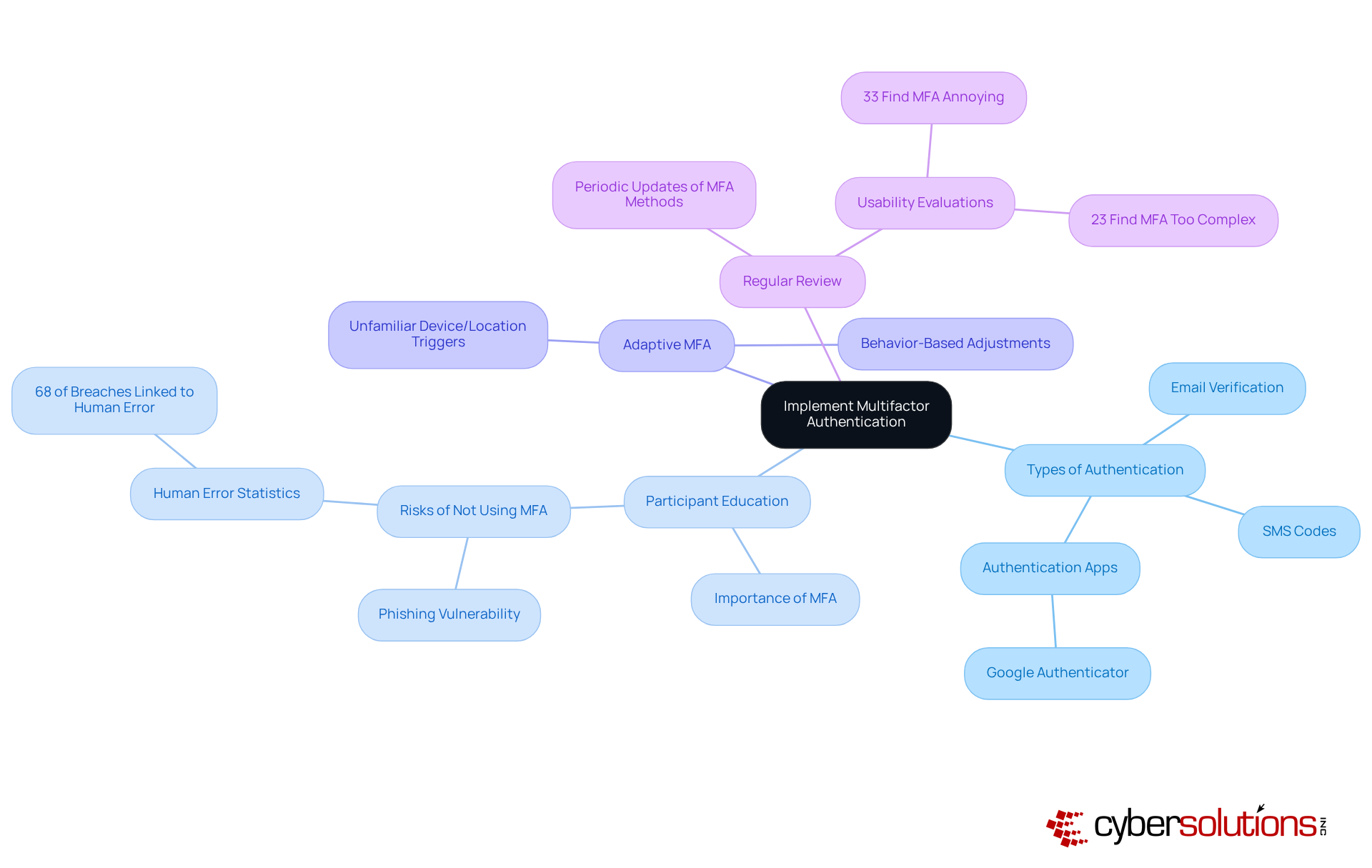
In an era where cyber threats loom large, the healthcare sector must prioritize robust security measures to safeguard sensitive data, starting with multifactor authentication (MFA). To enhance password adherence and security, organizations should adopt MFA, which requires individuals to provide two or more verification factors to access their accounts. Here are key strategies to implement MFA effectively:
- Types of Authentication: Employ a variety of authentication methods, such as SMS codes, email verification, and authentication apps like Google Authenticator. This diversity complicates access for attackers, making unauthorized entry more challenging.
- Participant Education: Inform participants about the importance of MFA and its effective application. Emphasize the risks associated with not using MFA, particularly the heightened vulnerability to phishing attacks. With 68% of breaches linked to human error, the stakes for implementing MFA couldn't be higher.
- Adaptive MFA: Implement adaptive MFA that adjusts authentication requirements based on individual behavior and risk levels. For instance, if an individual logs in from an unfamiliar device or location, additional verification steps can be triggered, enhancing security without compromising the experience.
- Regular Review: Conduct periodic reviews and updates of MFA methods to ensure they remain effective against evolving threats. This involves evaluating the usability of MFA solutions to avoid user fatigue, as 33% of entities find MFA annoying and 23% view it as too complex, which can impede adoption.
Failing to adopt MFA leaves organizations vulnerable to breaches that could have devastating financial consequences. Statistics indicate that MFA can reduce the risk of account takeover incidents, making it a critical component of a robust security strategy. Moreover, with 87% of firms with over 10,000 employees employing MFA, it is clear that larger entities acknowledge its significance in reducing financial risks, as 95% of reported breaches were financially driven. The choice to implement MFA is not just a technical decision; it's a strategic imperative that can protect your organization from potentially crippling financial losses.
Utilize Password Managers to Streamline Compliance
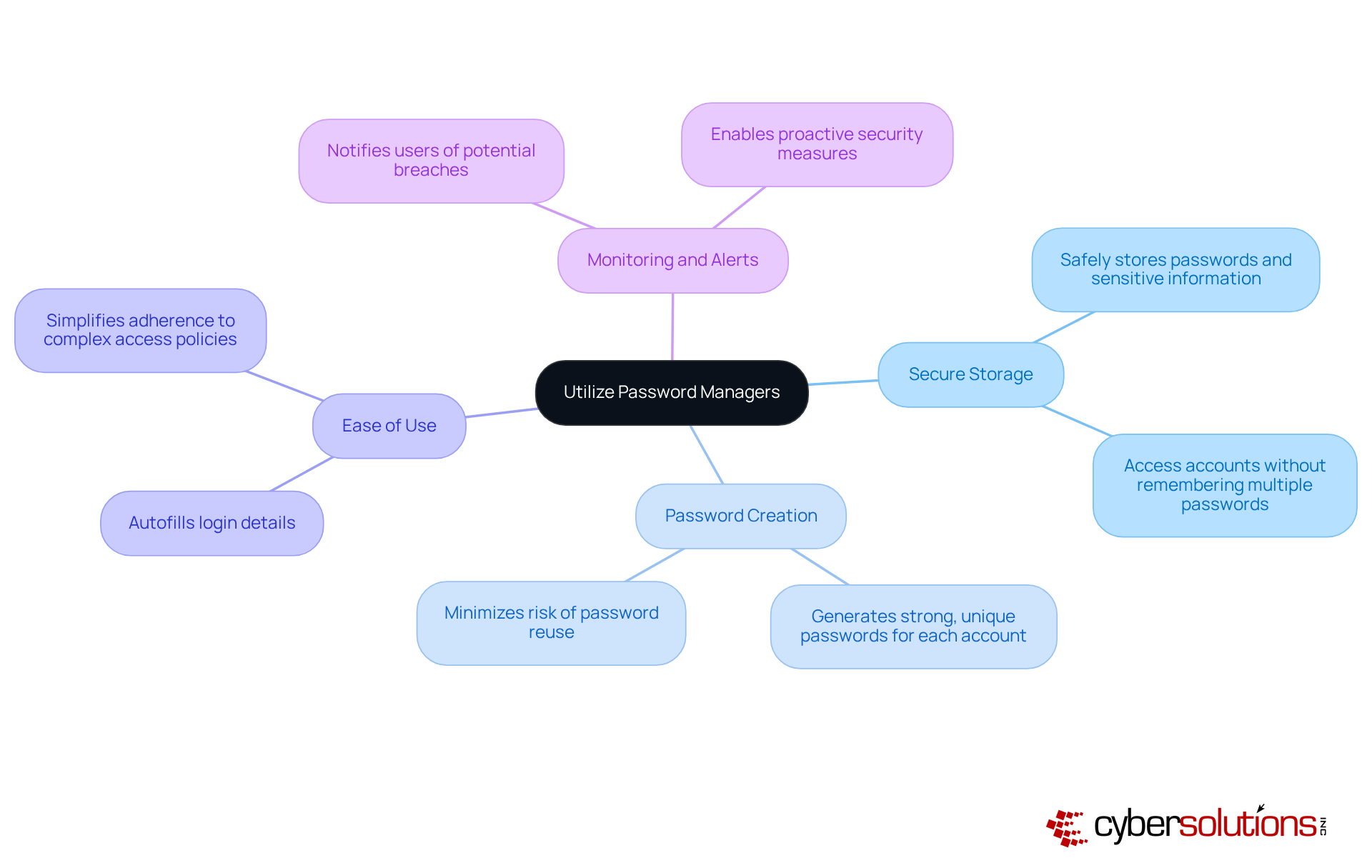
In an era where healthcare data breaches are on the rise, the need for robust cybersecurity measures has never been more critical. To promote password compliance with access codes, organizations should encourage the use of code managers. Consider the following advantages of implementing credential managers:
- Secure Storage: Password managers securely store passwords and sensitive information, allowing users to access their accounts without needing to remember multiple complex passwords.
- Password Creation: They can produce strong, unique credentials for each account, minimizing the risk of reuse across different platforms.
- Ease of Use: By autofilling login details, credential managers decrease the difficulty associated with complex access policies, encouraging individuals to adhere to security guidelines.
- Monitoring and Alerts: Many credential managers provide features that notify users of possible breaches or compromised credentials, enabling proactive security measures.
By embracing credential managers, organizations not only enhance their security posture but also achieve password compliance, thereby safeguarding their reputation and trust with patients.
Conduct Regular Password Audits and Updates
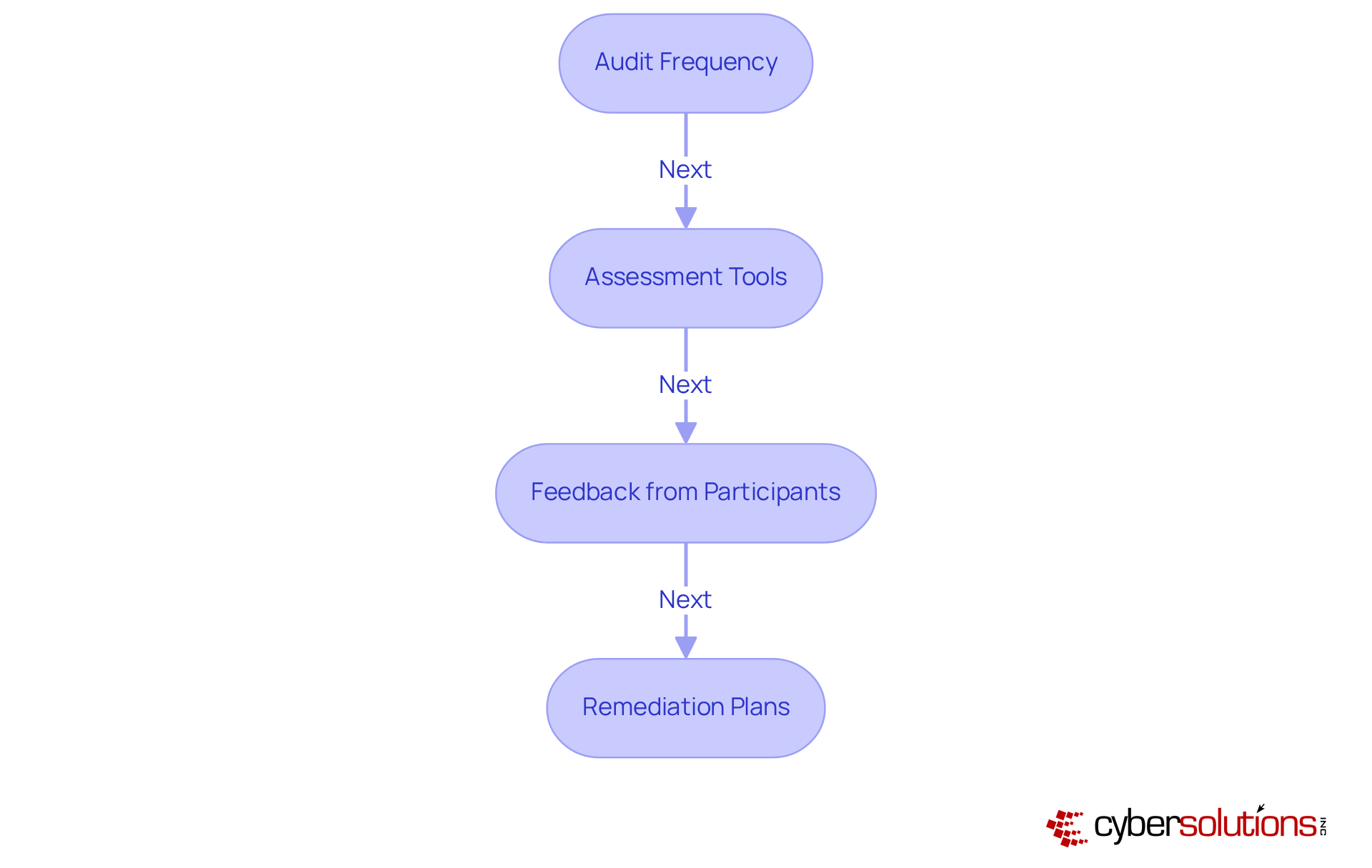
In an era where cyber threats loom large, the healthcare sector must prioritize robust cybersecurity measures to safeguard sensitive patient data. To ensure password compliance, entities should perform regular audits and updates of access credentials. This process includes:
- Audit Frequency: Establish a schedule for regular audits, such as quarterly or bi-annually, to assess the strength and security of passwords across the organization. This aligns with the continuous monitoring aspect of Compliance as a Service (CaaS), ensuring that your access policies are consistently evaluated against current regulatory standards, including the specific requirements of CMMC levels.
- Assessment Tools: Utilize credential auditing tools that can identify weak, reused, or compromised credentials. These tools can provide insights into credential health and password compliance with established guidelines, similar to the gap analysis offered in CaaS solutions, and help ensure adherence to the security measures required at different CMMC levels.
- Feedback from Participants: Motivate individuals to report any challenges they face with security protocols, as this input can assist in enhancing guidelines and boosting adherence. Involving participants in this manner can improve the overall effectiveness of your compliance strategy, and CaaS can assist this involvement by offering organized support for interactions.
- Remediation Plans: Formulate a clear strategy for tackling recognized vulnerabilities, including required changes for compromised accounts and further instruction for individuals on best practices for credentials. This proactive approach mirrors the tailored remediation strategies offered through CaaS, ensuring that your entity is prepared for audits and compliant with necessary regulations, including ongoing management of CMMC changes.
Without a proactive approach to credential management, organizations risk not only password compliance failures but also the trust of those they serve.
Conclusion
In an era where cyber threats loom large, the healthcare sector must prioritize effective password compliance strategies to safeguard sensitive data. By implementing robust guidelines for password creation, organizations can significantly reduce the risks associated with cyber threats. Focusing on strong password practices, multifactor authentication, the use of password managers, and regular audits creates a comprehensive approach to enhancing security and maintaining compliance.
Key strategies discussed include:
- Setting stringent password creation standards that emphasize length and complexity.
- Educating users on the dangers of common access codes.
- Promoting the use of passphrases.
- Implementing multifactor authentication to add an extra layer of security.
- Using password managers to streamline compliance by securely storing and generating unique credentials.
- Conducting regular audits to ensure that passwords remain strong and that any vulnerabilities are promptly addressed.
By neglecting these strategies, organizations risk not only their data but also the trust of those they serve, making cybersecurity a fundamental pillar of healthcare integrity. Adopting these strategies allows the healthcare sector to enhance its cybersecurity posture and foster a culture of security awareness that empowers individuals to take responsibility for their digital safety. Embracing these practices is not just a technical necessity; it is a vital commitment to protecting sensitive information in an increasingly digital world.
Frequently Asked Questions
Why is establishing strong password creation guidelines important in healthcare?
Strong password creation guidelines are crucial in healthcare to safeguard sensitive patient data from cyber threats, ensuring robust cybersecurity measures are in place.
What are the recommended password length and complexity requirements?
Passwords should be a minimum of 12-16 characters long and include a mix of uppercase letters, lowercase letters, numbers, and special characters. A master passphrase should ideally consist of at least 20 characters for maximum security.
What should users avoid when creating access codes?
Users should avoid easily guessable access codes, such as '123456' or 'secret'. Organizations can implement a blacklist to prevent the use of these common phrases.
What is the significance of using passphrases?
Passphrases are longer sequences of words or phrases that are easier to remember but difficult for attackers to guess. They provide a balance of complexity and memorability, enhancing security.
How often should passwords be updated?
While the latest NIST guidelines recommend changing passwords only when a compromise is suspected, organizations should still encourage periodic updates to maintain security and compliance.
What additional security measure should be activated alongside strong passwords?
Multi-factor authentication (MFA) should be activated on every account that offers it, providing an extra layer of protection beyond just passwords.
What are the potential risks of not following these password guidelines?
Failing to follow these guidelines can lead to financial loss and damage to patient trust, which is critical in the digital landscape of healthcare.
List of Sources
- Establish Strong Password Creation Guidelines
- getastra.com (https://getastra.com/blog/security-audit/password-statistics)
- Password Security in 2026: What Actually Keeps Your Accounts Safe (https://stickypassword.com/blog/password-security-best-practices-2026-3242)
- heimdalsecurity.com (https://heimdalsecurity.com/blog/password-breach-statistics)
- giveitgetit.org (https://giveitgetit.org/password-security-best-practices-2026)
- 36 Must-Know Password Statistics for 2026 | Huntress (https://huntress.com/blog/password-statistics)
- Implement Multifactor Authentication for Enhanced Security
- njda.org (https://njda.org/news-information/news-archive/2025/11/25/multi-factor-authentication-(mfa)-statistics-you-need-to-know-in-2025---dental-technologies)
- hungerford.tech (https://hungerford.tech/blog/how-should-you-implement-mfa-in-2026)
- solutionsreview.com (https://solutionsreview.com/identity-management/13-identity-management-day-quotes-from-industry-experts-in-2023)
- Utilize Password Managers to Streamline Compliance
- getastra.com (https://getastra.com/blog/security-audit/password-statistics)
- 2026 NIST Password Guidelines: Enhancing Security Practices | Scytale (https://scytale.ai/resources/2024-nist-password-guidelines-enhancing-security-practices)
- sqmagazine.co.uk (https://sqmagazine.co.uk/password-manager-statistics)
- 36 Must-Know Password Statistics for 2026 | Huntress (https://huntress.com/blog/password-statistics)
- Conduct Regular Password Audits and Updates
- solutionsreview.com (https://solutionsreview.com/identity-management/world-password-day-quotes-from-industry-experts-in-2025)
- 2026 NIST Password Guidelines: Enhancing Security Practices | Scytale (https://scytale.ai/resources/2024-nist-password-guidelines-enhancing-security-practices)
- heimdalsecurity.com (https://heimdalsecurity.com/blog/password-breach-statistics)
- getastra.com (https://getastra.com/blog/security-audit/password-statistics)
- 36 Must-Know Password Statistics for 2026 | Huntress (https://huntress.com/blog/password-statistics)


