Introduction
In today's digital age, healthcare organizations are under siege from relentless cyber threats, making robust cybersecurity measures not just important, but essential. Understanding the critical importance of data backup is vital for organizations aiming to enhance their resilience against potential threats. As organizations grapple with the urgent need to protect sensitive information, they must consider:
- What strategies can effectively safeguard against data loss while ensuring compliance and operational continuity?
Identify the Risks of Data Loss
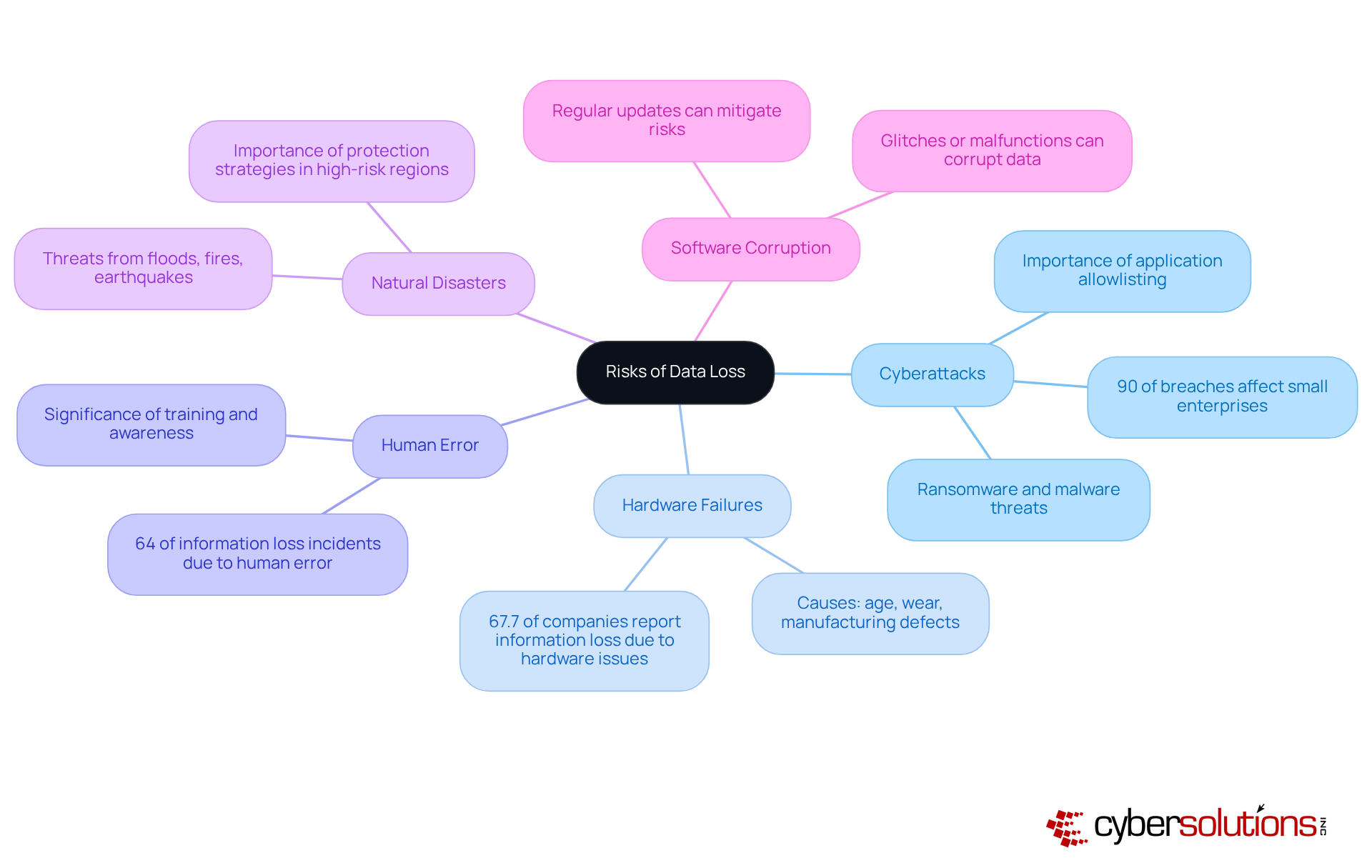
In an era where data breaches are rampant, the healthcare sector faces unprecedented cybersecurity threats that demand immediate attention. Data loss presents a considerable risk to enterprises, highlighting why it is important to backup data, as various factors contribute to its occurrence. Common risks include:
- Cyberattacks: Ransomware and malware attacks can encrypt or delete essential information, rendering it inaccessible. Did you know that 90% of breaches affect small enterprises? This statistic highlights the vulnerability of organizations lacking strong cybersecurity measures. Implementing application allowlisting can significantly reduce these risks by ensuring that only approved applications can execute, thereby preventing unauthorized software from compromising information integrity and helping organizations meet compliance requirements such as HIPAA, PCI-DSS, and GDPR.
- Hardware Failures: Physical devices can fail due to age, wear, or manufacturing defects. A study discovered that 67.7% of companies reported substantial information reduction due to hardware problems. This highlights why it is important to backup data with reliable solutions.
- Human Error: Accidental deletion or mismanagement of information is a leading cause of information damage. Research shows that human error contributes to almost 64% of information loss incidents. This statistic highlights the significance of training and awareness in mitigating risks.
- Natural Disasters: Events such as floods, fires, or earthquakes can destroy physical information storage locations. Companies in high-risk regions must take these threats into account when developing their protection strategies.
- Software Corruption: Glitches or malfunctions in software can result in information corruption, rendering it irretrievable without suitable copies. Regular updates and maintenance can mitigate this risk but do not eliminate it entirely.
Recognizing these risks highlights why it is important to backup data, compelling organizations to adopt comprehensive backup solutions to ensure resilience and continuity in their operations. Furthermore, implementing a layered cybersecurity approach, incorporating application allowlisting and ongoing threat monitoring, can further improve safeguards against information compromise and ensure adherence to regulatory standards. For example, case studies have demonstrated that organizations applying these strategies have effectively decreased their information breach occurrences and enhanced their overall security stance.
Explore the Benefits of Data Backup
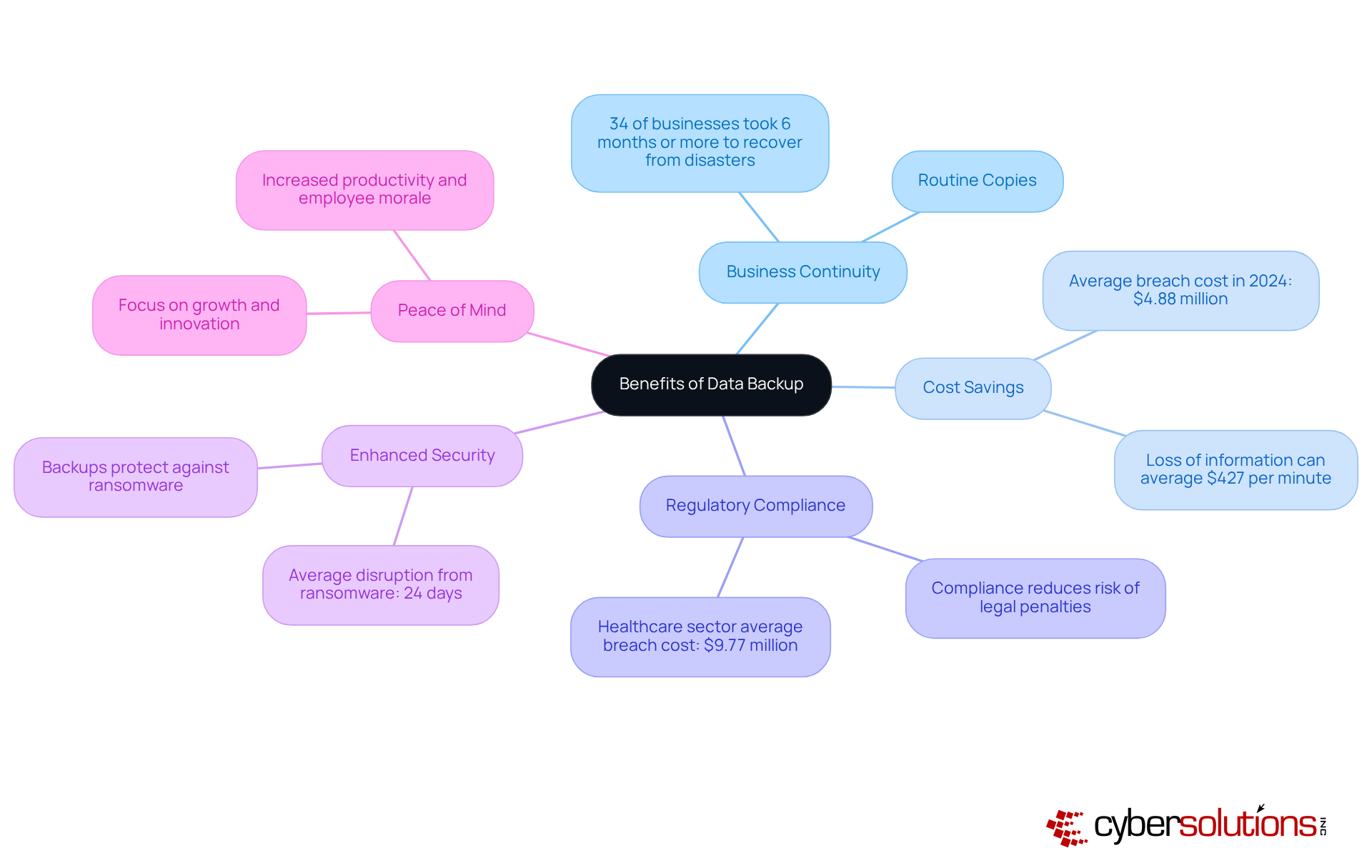
In an era where data breaches can cripple healthcare organizations, it is essential to recognize why it is important to backup data, as implementing a robust data backup strategy is not just an option; it's a necessity. Here are the numerous benefits that significantly enhance business resilience:
- Business Continuity: Routine copies guarantee that organizations can quickly restore from information loss events, reducing downtime and preserving operational continuity. In fields such as healthcare, understanding why it is important to backup data is essential for ensuring information accessibility crucial for patient care. In fact, 34% of businesses that faced a disaster took six months or more to recover, underscoring the need for effective backup solutions.
- Cost Savings: The financial burden of data breaches can cripple organizations, making effective backup solutions not just beneficial but essential. The typical expense of a breach in 2024 is around $4.88 million, indicating a notable rise from earlier years. By investing in information storage solutions, companies can avoid these expenses and safeguard their profits, as loss of information can average $427 per minute, resulting in over $25,000 per hour.
- Regulatory Compliance: Many industries are subject to stringent data protection regulations. Effective recovery solutions assist organizations in understanding why it is important to backup data to meet compliance requirements, thereby reducing the risk of legal penalties and reputational harm. Failing to comply with data protection regulations can lead to severe financial and reputational damage, making compliance a priority for healthcare organizations. With the healthcare sector facing average breach costs of $9.77 million, compliance through strong recovery strategies is essential.
- Enhanced Security: Backups act as a safety net against cyber threats. In the case of a ransomware incident, companies with recent copies can recover their systems without paying a ransom, thus protecting their information integrity. Ransomware events led to an average disruption of 24 days in 2022, emphasizing the significance of having dependable data recovery solutions in place.
- Peace of Mind: When companies know their data is secure, they can focus on growth and innovation rather than worrying about potential data loss. This peace of mind can lead to increased productivity and employee morale, fostering a more resilient organizational culture.
The advantages of information preservation go beyond simple information protection; they include financial stability, regulatory compliance, and overall organizational resilience. Ultimately, knowing why it is important to backup data can be the difference between thriving and merely surviving in today's challenging healthcare landscape.
Compare Data Backup Solutions: Cloud vs. External Drives
In an era where cybersecurity threats loom large, healthcare organizations must navigate the complexities of information storage solutions to safeguard sensitive data. When evaluating information storage solutions, companies frequently encounter the option between cloud storage and external drives. Each option has its advantages and disadvantages:
-
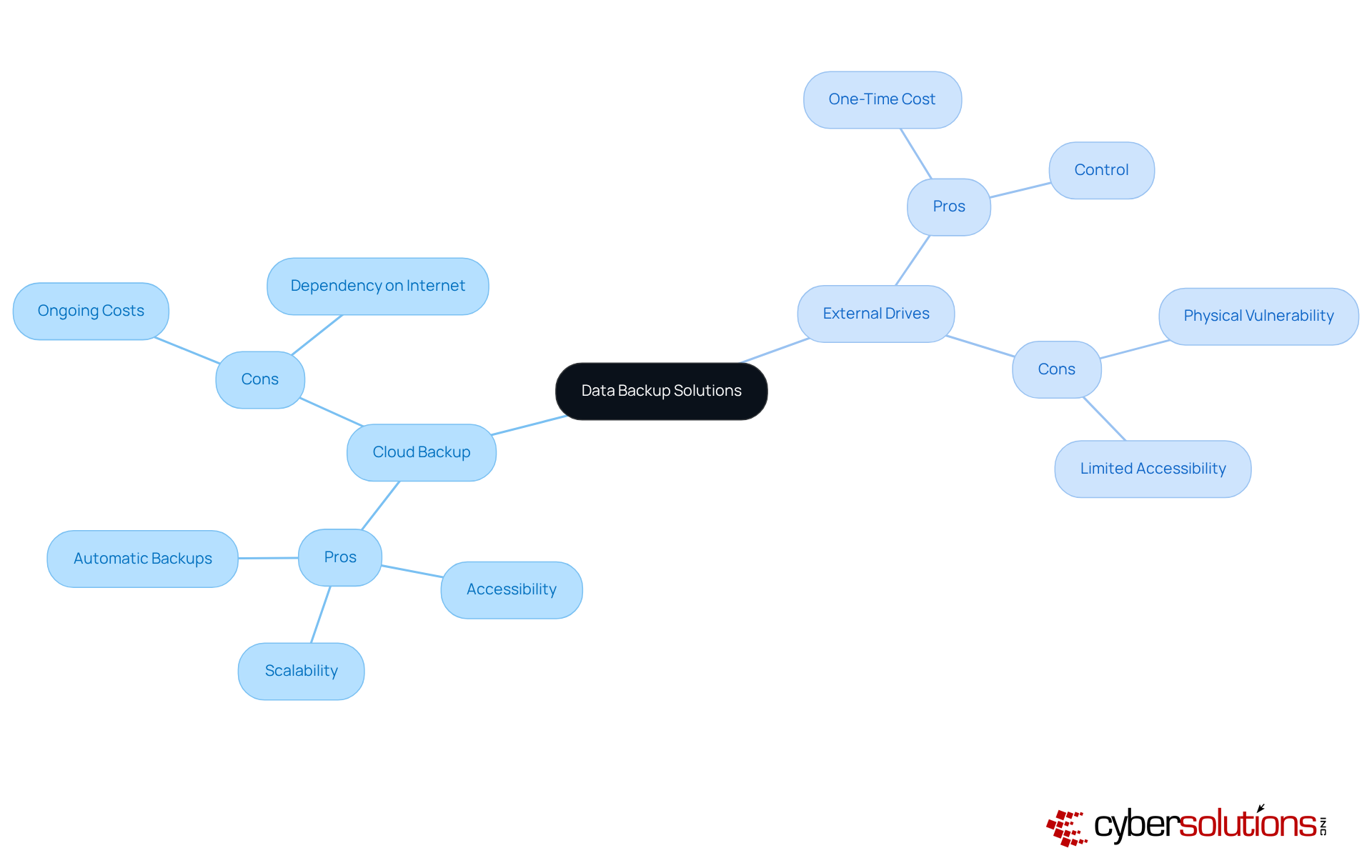
Cloud Backup:
- Pros:
- Accessibility: Cloud backups can be accessed from anywhere with an internet connection, facilitating remote work and collaboration.
- Scalability: Cloud solutions can easily scale to accommodate increasing information requirements without the need for additional hardware.
- Automatic Backups: Many cloud services offer automated backup options, reducing the risk of human error.
- Cons:
- Ongoing Costs: Keep in mind, cloud storage often comes with ongoing subscription fees that can add up quickly, impacting your budget in the long run.
- Dependency on Internet: Accessing information requires a stable internet connection, which can be a limitation in areas with poor connectivity.
-
External Drives:
- Pros:
- One-Time Cost: Purchasing an external drive involves a one-time investment, making it a cost-effective option for businesses with limited budgets.
- Control: Businesses have complete control over their information, as it is stored locally.
- Cons:
- Physical Vulnerability: External drives are susceptible to theft, damage, or failure, which can lead to data loss if not backed up elsewhere.
- Limited Accessibility: Accessing information stored on external drives requires physical presence, which can hinder remote work capabilities.
Ultimately, deciding between cloud and external drives comes down to what your organization needs, what you can afford, and how much risk you're willing to take. A hybrid approach, utilizing both methods, can often provide the best balance of security and accessibility. Choosing the right storage solution raises the question of why is it important to backup data, as it’s a critical decision that can impact the security and efficiency of healthcare operations.
Implement Best Practices for Effective Data Backup
In an era where data breaches can cripple healthcare organizations, it is crucial to understand why it is important to backup data, as robust data backup strategies are essential for survival. To maximize the effectiveness of these strategies, businesses should adhere to several best practices:
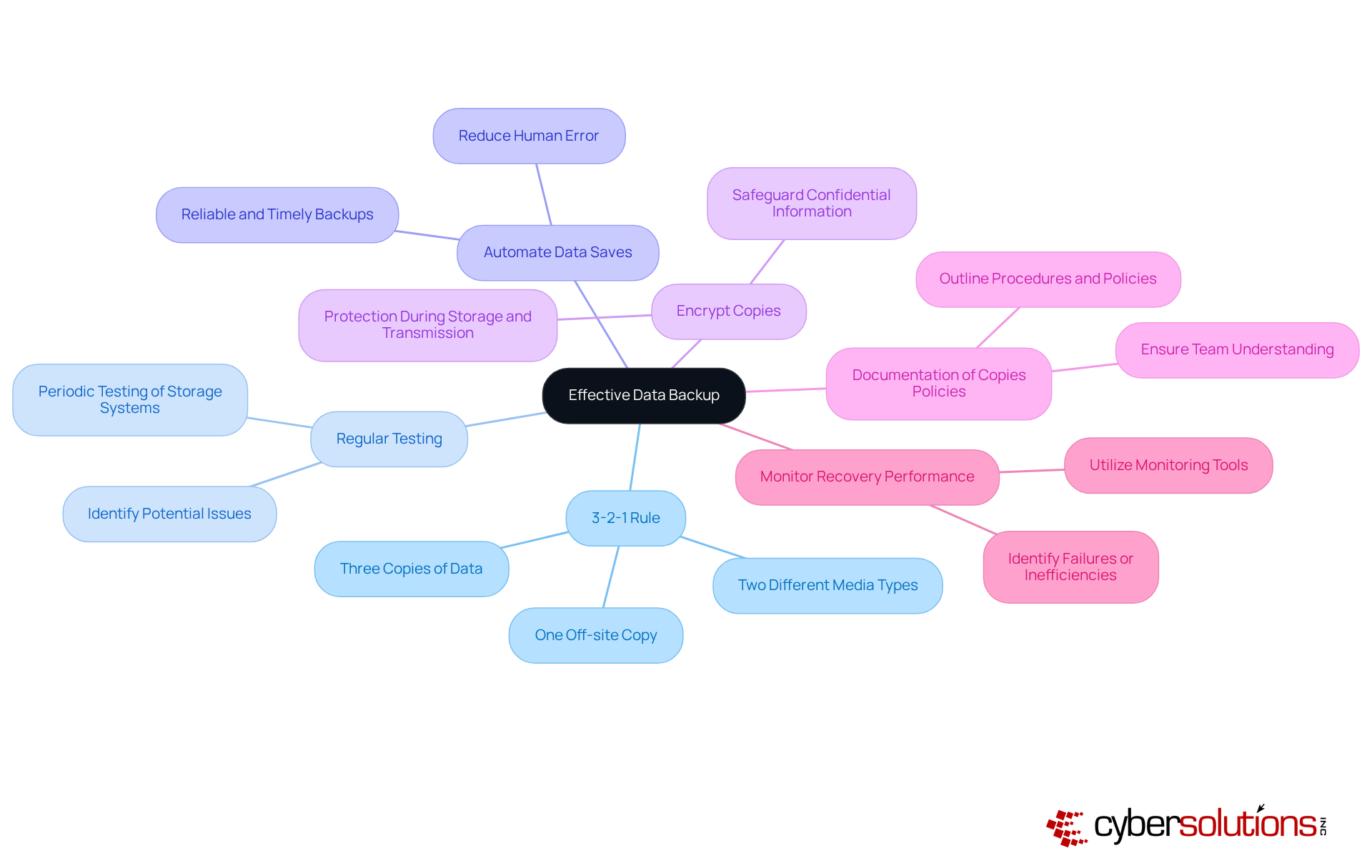
- Follow the 3-2-1 Rule: Maintain three copies of information, stored on two different media types, with one copy stored off-site. This approach ensures redundancy and protection against various risks.
- Regular Testing: Periodically test storage systems to ensure data can be restored successfully. Regular testing helps identify potential issues before they become critical problems.
- Automate Data Saves: Implement automated data save solutions to reduce the risk of human error. Automation guarantees that data copies happen reliably and on time.
- Encrypt Copies: Safeguard confidential information by encrypting copies, both while stored and transmitted. Encryption adds an additional layer of security against unauthorized access.
- Documentation of Copies Policies: Clearly outline procedures and policies for copies, including classification of information, retention schedules, and recovery processes. This documentation ensures that every team member understands their critical role in safeguarding information.
- Monitor Recovery Performance: Utilize monitoring tools to track the performance of recovery systems. Monitoring can help identify potential failures or inefficiencies, allowing for timely interventions.
Adopting these best practices is crucial for businesses to understand why it is important to backup data in their strategies. Without these strategies, the consequences of data loss could jeopardize not only operations but also patient trust and safety.
Conclusion
In today's digital landscape, the threat of data loss looms larger than ever, making data backup an essential strategy for survival. Data backup isn't just a task; it's a cornerstone of business resilience. In a world filled with risks like cyberattacks, hardware failures, and natural disasters, safeguarding data has never been more critical. Organizations must prioritize robust backup strategies to ensure their survival and continuity, as the consequences of data loss can be catastrophic, threatening not just operations but also your reputation and financial health.
Throughout this article, we've highlighted key points, including:
- The various risks associated with data loss
- The significant benefits of implementing effective backup solutions
- A comparison of storage options such as cloud versus external drives
We've illustrated that proactive measures, such as adhering to best practices and understanding the importance of data backup, are essential in mitigating risks and enhancing organizational resilience. Statistics reveal the stark reality of data loss, emphasizing that the financial repercussions can be severe, making it imperative for businesses to invest in reliable backup systems.
The bottom line? The stakes are high, and it's time to take action. Organizations must not only recognize the importance of data backup but also take decisive steps to implement comprehensive strategies that protect their most valuable asset-information. By prioritizing data backup, businesses can secure their operations against unforeseen challenges, foster a culture of resilience, and pave the way for sustained growth and innovation in an increasingly unpredictable environment.
Frequently Asked Questions
What are the main risks of data loss in the healthcare sector?
The main risks of data loss in the healthcare sector include cyberattacks, hardware failures, human error, natural disasters, and software corruption.
How do cyberattacks contribute to data loss?
Cyberattacks, such as ransomware and malware, can encrypt or delete essential information, making it inaccessible. Small enterprises are particularly vulnerable, with 90% of breaches affecting them.
What measures can organizations take to reduce risks from cyberattacks?
Implementing application allowlisting can significantly reduce risks by ensuring that only approved applications can execute, thus preventing unauthorized software from compromising information integrity.
What impact do hardware failures have on data loss?
Hardware failures can occur due to age, wear, or manufacturing defects, leading to substantial information loss. A study found that 67.7% of companies reported significant data reduction due to hardware issues.
How does human error contribute to data loss?
Human error, including accidental deletion or mismanagement of information, is a leading cause of data loss, accounting for nearly 64% of incidents.
What role do natural disasters play in data loss?
Natural disasters like floods, fires, or earthquakes can destroy physical information storage locations, posing a significant risk for companies in high-risk regions.
How can software corruption lead to data loss?
Software glitches or malfunctions can corrupt information, making it irretrievable without suitable backups. Regular updates and maintenance can help mitigate this risk.
Why is it important for organizations to backup data?
Backing up data is crucial to ensure resilience and continuity in operations, as it protects against various risks that can lead to data loss.
What additional strategies can enhance data protection?
A layered cybersecurity approach, incorporating application allowlisting and ongoing threat monitoring, can improve safeguards against information compromise and ensure compliance with regulatory standards.
List of Sources
- Explore the Benefits of Data Backup
- vikingcloud.com (https://vikingcloud.com/blog/the-real-cost-of-data-breach)
- invenioit.com (https://invenioit.com/continuity/business-continuity-statistics?srsltid=AfmBOopzYbO3F-yK5_TeQJBoiXRBFu6gxKSgzGxS45jddaWuGkQd7jvV)
- discovercybersolutions.com (https://discovercybersolutions.com/blog-posts/explain-the-importance-of-data-backup-for-business-resilience)
- World Backup Day 2026: Strengthen Business Data Protection Strategy (https://dsbls.com/resources/world-backup-day)
- Compare Data Backup Solutions: Cloud vs. External Drives
- backblaze.com (https://backblaze.com/blog/backblaze-performance-stats-q1-2026)
- netcentrix.com (https://netcentrix.com/news/why-do-businesses-need-cloud-storage)
- sqmagazine.co.uk (https://sqmagazine.co.uk/cloud-storage-usage-statistics)
- securedata.com (https://securedata.com/blog/external-drives-vs-cloud-storage-which-to-choose?srsltid=AfmBOorGowKGIC_-ttfDMZC2z3JN0gUj_afe43IKnHqBG3sHIeco3BLM)
- koofr.eu (https://koofr.eu/blog/posts/external-hard-drive-vs-cloud-backup)
- Implement Best Practices for Effective Data Backup
- World Backup Day 2026 – recommended processes and solutions (https://greymatter.com/content-hub/world-backup-day-2026-recommended-processes-and-solutions)
- World Backup Day 2026: Expert Insights from the Field (https://solutionsreview.com/backup-disaster-recovery/world-backup-day-2026-expert-insights-from-the-field)
- netgainit.com (https://netgainit.com/blogs/data-backup-keep-your-information-safe)
- 75+ Data Loss Statistics for 2026: The Complete Guide (https://crashplan.com/blog/75-data-loss-statistics-for-2026-the-complete-guide)
- docs.cometbackup.com (https://docs.cometbackup.com/blog/2026/2026-03-31-world-backup-day)