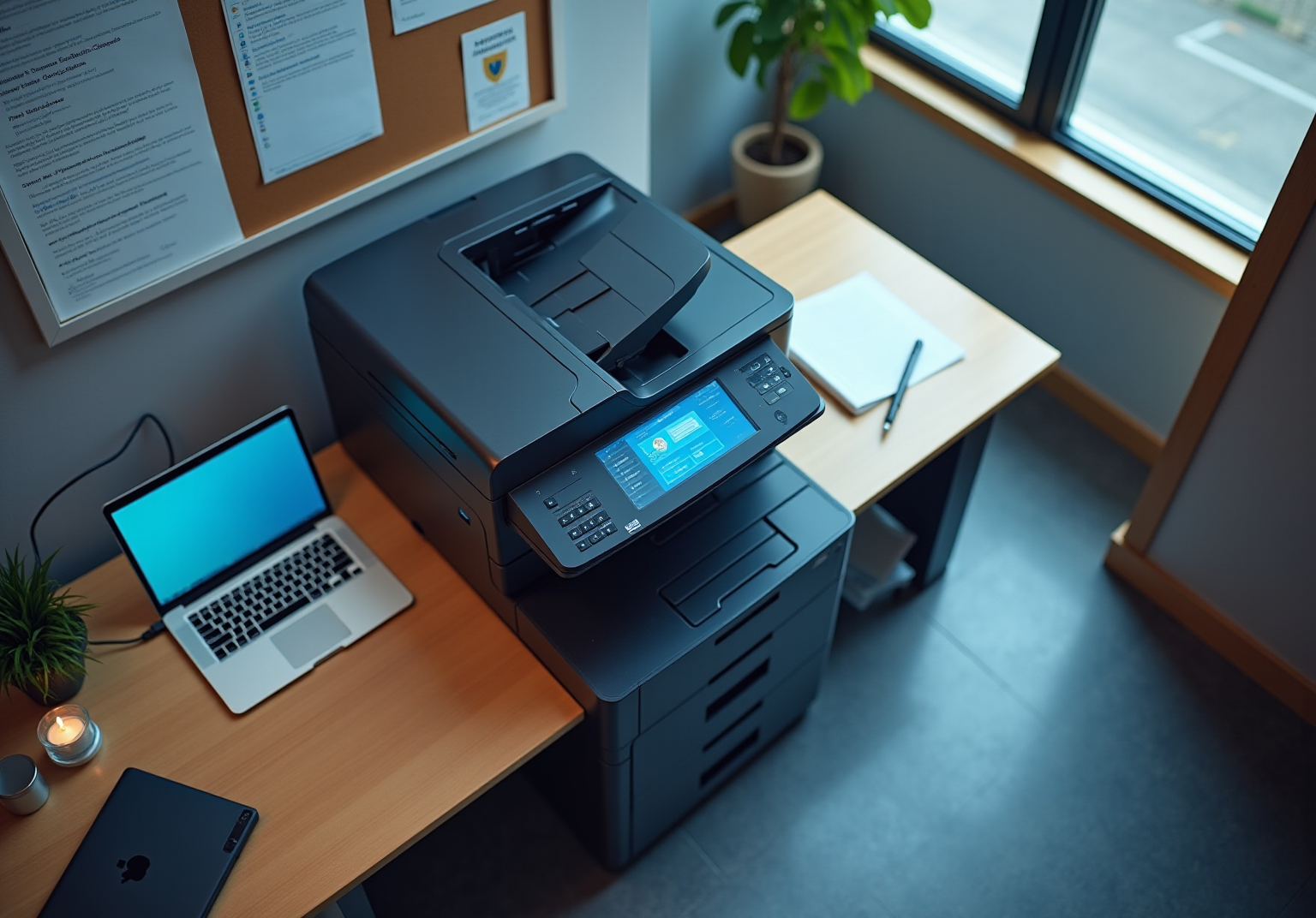
4 Best Practices for Securing Network Printers Effectively

4 Best Practices for Securing Network Printers Effectively

Introduction

In today’s landscape, where data breaches are alarmingly prevalent, the security of network printers is often neglected, despite their significant vulnerabilities. Organizations have a critical opportunity to strengthen their defenses by adopting strategies that not only safeguard sensitive information but also bolster overall cybersecurity.

How can businesses effectively secure their network printers against evolving threats? What essential strategies should they implement to mitigate risks?

By addressing these questions, organizations can take proactive steps to protect their assets and ensure the integrity of their data. The time to act is now-let’s explore how to fortify your defenses against potential breaches.

Choose Secure Printers for Enhanced Protection

When selecting devices for your organization, it’s essential to prioritize models that are suitable for with robust security features. Look for devices that support secure protocols like HTTPS and include integrated encryption capabilities, as these features are vital for securing network printers and safeguarding sensitive information. Additionally, consider devices that aid in securing network printers by offering secure print release features, which require user authentication before any document can be printed. This strategy not only protects confidential data but also significantly reduces the risk of unauthorized access.

Notably, brands such as HP and Xerox have developed printers with advanced security measures specifically designed for securing network printers in environments that handle sensitive data. In fact, recent reports indicate that 67% of organizations experienced a print-related data breach in the past year, highlighting the urgent need for built-in encryption capabilities. As organizations navigate the complexities of modern cybersecurity, securing network printers becomes an essential step in protecting valuable information.

A layered strategy for print protection, as demonstrated in various case studies, showcases the effectiveness of these devices in real-world scenarios. This underscores the importance of addressing print safety to mitigate the rising costs associated with breaches, which average over $1.3 million. Are you prepared to safeguard your organization against these threats?

The center represents the main topic of secure printers. Each branch shows important aspects like features and brands, helping you understand how they contribute to overall security.

Implement Strong Authentication Methods

In today's digital landscape, securing network printers is crucial for organizations that aim to protect sensitive information. Strong authentication methods, such as multi-factor authentication (MFA), PIN codes, and biometric verification, play a vital role in this effort. MFA, in particular, significantly boosts security by requiring users to present two or more verification factors for access. For example, a user might enter a password and then confirm their identity through a mobile app. This dual-layered approach not only strengthens access control but also mitigates the risks associated with unauthorized access.

Consider this: statistics show that MFA users are 99% less likely to be hacked. This statistic underscores the essential role MFA plays in protecting confidential information. Additionally, implementing pull printing solutions is highly advisable. With pull printing, users must before their documents are released. This practice not only aids in securing network printers and sensitive information but also reduces waste from unclaimed print jobs, aligning with operational efficiency goals.

Entities that have adopted pull printing have reported a notable reduction in unclaimed print jobs, leading to both cost savings and improved document protection. By prioritizing these authentication methods, organizations can effectively address the unique challenges posed by cybersecurity threats, ensuring a more secure environment for their sensitive data.

The center represents the main topic of strong authentication methods. Each branch shows a different method, with further details on their benefits and statistics. Follow the branches to understand how each method contributes to securing sensitive information.

Regularly Update Printer Firmware and Security Protocols

Creating a routine for checking and updating firmware and safety settings is essential for securing network printers and sustaining a secure network environment. With manufacturers regularly releasing and enhance functionality, the stakes have never been higher. Are you prepared to protect your organization? Set quarterly reminders for checks and ensure that all printers are configured to automatically install updates when available.

Moreover, it’s crucial to consistently evaluate protective measures aimed at securing network printers to adapt to new threats. Research indicates that organizations that promptly apply firmware updates can significantly reduce their risk of cyberattacks, thereby helping in securing network printers. A recent survey conducted by Censuswide in 2024 revealed that 65% of SMB IT leaders view legacy systems, including outdated devices, as a significant threat. By prioritizing firmware updates and fostering collaboration among IT, security, and procurement teams to establish device security standards, businesses can bolster their overall security stance, particularly through securing network printers to safeguard sensitive information from potential breaches.

Furthermore, leveraging advanced cybersecurity tools such as endpoint protection and threat detection from Cyber Solutions can provide an additional layer of defense. For instance, implementing endpoint protection can help monitor device activity for suspicious behavior, while threat detection tools can alert teams to potential vulnerabilities in real-time. This proactive approach ensures compliance and operational integrity in the face of evolving cyber threats. Is your organization ready to take action?

Follow the arrows to see how each step contributes to securing your network printers. Starting with routine checks, each action builds on the last to enhance your organization's cybersecurity.

Utilize Network Segmentation for Enhanced Security

Implementing network segmentation by placing output devices on a separate VLAN (Virtual Local Area Network) is not just a strategy; it's a critical necessity for isolating these devices from others on the network. This approach significantly limits the potential for lateral movement by attackers, who would face multiple layers of protection before accessing sensitive information. Did you know that around 74% of mid-market organizations have experienced data loss? This statistic underscores the associated with inadequate device protection.

Setting up access control lists (ACLs) enhances this protection further by restricting communication between the print network and other segments. For instance, if a printing device is compromised, the damage can be contained within that segment, effectively preventing attackers from breaching critical systems or accessing sensitive data. CISA’s Cross-Sector Cybersecurity Performance Goals highlight the importance of segmentation for protecting critical infrastructure, reinforcing the value of VLANs in contemporary cybersecurity frameworks.

Organizations that have successfully implemented VLANs report not only improved security postures but also reduced risks tied to printer vulnerabilities, particularly in securing network printers. This demonstrates the effectiveness of this approach in safeguarding sensitive information. In a world where cybersecurity threats are ever-evolving, can your organization afford to overlook such vital strategies?

The center shows the main idea of network segmentation. Each branch represents a related topic, helping you see how VLANs and ACLs contribute to better security and the importance of these strategies in protecting sensitive information.

Conclusion

Securing network printers is not just a technical necessity; it’s a cornerstone of a robust cybersecurity strategy for any organization. In an era where data breaches are alarmingly frequent, prioritizing secure printer models, implementing strong authentication methods, regularly updating firmware, and utilizing network segmentation are essential steps to fortify defenses against potential threats. Each of these practices plays a vital role in creating a secure environment for sensitive data, ultimately protecting the integrity of business operations.

Consider the implications: choosing printers equipped with advanced security features - like encryption and secure print release - is crucial for safeguarding confidential information. Moreover, adopting strong authentication methods, such as multi-factor authentication and pull printing, can significantly diminish the risk of unauthorized access. Regular firmware updates are imperative to ensure devices remain resilient against emerging threats, while network segmentation effectively isolates printers from critical systems, thereby limiting potential damage from cyberattacks.

As organizations face the increasing frequency of data breaches, it’s imperative to take proactive measures to secure network printers. Embracing these best practices not only protects sensitive information but also enhances overall operational efficiency. In a rapidly evolving cybersecurity landscape, decisive action today empowers organizations to safeguard their data and maintain trust with clients and stakeholders. Are you ready to take the necessary steps to protect your organization?

Frequently Asked Questions

Why is it important to choose secure printers for an organization?

Choosing secure printers is essential to protect sensitive information and prevent unauthorized access, especially given that 67% of organizations experienced a print-related data breach in the past year.

What security features should be prioritized when selecting network printers?

Organizations should prioritize printers that support secure protocols like HTTPS, include integrated encryption capabilities, and offer secure print release features that require user authentication before printing.

Which brands are noted for their advanced security measures in printers?

Brands such as HP and Xerox are recognized for developing printers with advanced security measures specifically designed for securing network printers in environments that handle sensitive data.

What is the average cost associated with print-related data breaches?

The average cost associated with print-related data breaches is over $1.3 million.

How can secure print release features enhance printer security?

Secure print release features require user authentication before any document is printed, which protects confidential data and significantly reduces the risk of unauthorized access.

What does a layered strategy for print protection involve?

A layered strategy for print protection involves implementing various security measures and features in printers to effectively mitigate risks and protect valuable information, as demonstrated in real-world case studies.

List of Sources

  1. Choose Secure Printers for Enhanced Protection
  • Print Security in 2026: Why Your MFP Is Now a Critical Endpoint | Doceo (https://mydoceo.com/blog/print-security-risks-multifunction-printers)
  • The Future of Printing Security – 2026-2030 Trends | SAFEQ Blog (https://ysoft.com/safeq/blog/print-security-trends)
  • Print Security 2026 Cybersecurity Threat | Doceo (https://mydoceo.com/blog/print-security-2026-cybersecurity-threat)
  • Print Security Becomes Top Priority for Enterprises in 2026 | Bill Brady posted on the topic | LinkedIn (https://linkedin.com/posts/billbrady003_secure-printing-is-becoming-a-top-priority-activity-7428150813543358464-QYXI)
  1. Implement Strong Authentication Methods
  • MFA in 2026: Why Multi-Factor Authentication Is Non-Negotiable for SMEs - BahatiGroup (https://bahatigroup.com/mfa-in-2026-why-multi-factor-authentication-is-non-negotiable-for-smes)
  • 2025 Multi-Factor Authentication (MFA) Statistics & Trends to Know (https://jumpcloud.com/blog/multi-factor-authentication-statistics)
  • New Study Underscores Slow Adoption of Multifactor Authentication By Global SMBs - Cyber Readiness Institute (https://cyberreadinessinstitute.org/news-and-events/new-study-underscores-slow-adoption-of-multifactor-authenification)
  • Multi-Factor Authentication Adoption Rates: Are We Doing Enough? (https://patentpc.com/blog/multi-factor-authentication-adoption-rates-are-we-doing-enough)
  • Authentication in 2026 - moving beyond foundational MFA to tackle the new era of attacks (https://techradar.com/pro/authentication-in-2026-moving-beyond-foundational-mfa-to-tackle-the-new-era-of-attacks)
  1. Regularly Update Printer Firmware and Security Protocols
  • Print Security in 2026: Why Your MFP Is Now a Critical Endpoint | Doceo (https://mydoceo.com/blog/print-security-risks-multifunction-printers)
  • Only 36% of IT Teams Apply Printer Firmware Updates Promptly, Leaving Devices Vulnerable (https://hp.com/us-en/newsroom/press-releases/2025/only-36-of-it-teams-apply-printer-firmware-updates-promptly-leaving-devices-vulnerable.html)
  • Smaller businesses overlooking printer security face rising data risks: HP report - The Times of India (https://timesofindia.indiatimes.com/technology/appliances/smaller-businesses-overlooking-printer-security-face-rising-data-risks-hp-report/articleshow/129660637.cms)
  • Most IT teams slow to update printer firmware, raising risks (https://securitybrief.ca/story/most-it-teams-slow-to-update-printer-firmware-raising-risks)
  • HP report exposes printer security gaps | Microscope (https://computerweekly.com/microscope/news/366627932/HP-report-exposes-printer-security-gaps)
  1. Utilize Network Segmentation for Enhanced Security
  • Print Security in 2026: Why Your MFP Is Now a Critical Endpoint | Doceo (https://mydoceo.com/blog/print-security-risks-multifunction-printers)
  • Print Security 2026 Cybersecurity Threat | Doceo (https://mydoceo.com/blog/print-security-2026-cybersecurity-threat)
  • Why Network Segmentation Is Critical In 2026 | Netwitness (https://netwitness.com/blog/network-segmentation-explained)
Recent Posts
4 Best Practices for Securing Network Printers Effectively
Understanding TOAD Phishing: A Comparison with Traditional Methods
3 Essential Practices for Printer Network Security in Your Organization
Secure Network Printer: Best Practices for C-Suite Leaders
Enhance Network Printer Security with Proven Best Practices
4 Best Practices for Effective Local IT Solutions Implementation
10 Best Practices for Effective Configuration Management
Understanding Configuration Management Best Practices for Leaders
Understanding Flash Drives and Viruses: Risks and Security Measures
Maximize ROI with Best Practices for Managed Cloud Platforms
10 CMMC Consultants to Ensure Your Compliance Success
4 Best Practices for Developing an Effective Computer Policy
How Digital Certificates Work: Insights for C-Suite Leaders
5 Steps to Tell If Your Network Is Secure Today
Maximize ROI with Effective IT Consulting Managed Services Strategies
4 Key Differences Between Vulnerability Management and Penetration Testing
What Is CMMC Level 2? Understanding Its Importance for Compliance
4 USB Attacks Every C-Suite Leader Must Know
Master Managed Firewall Security: A CFO's Essential Tutorial
Why a Managed Services Company is Essential for Healthcare CFOs
Essential IT Services SMBs Must Consider for Success
Master the CMMC Implementation Timeline: Steps for Compliance Success
Pen Test vs Vulnerability Assessment: Key Differences for C-Suite Leaders
7 Business IT Strategies for Healthcare CFOs to Enhance Compliance
10 Essential Cyber Security Measures for Healthcare CFOs
10 Managed IT Solutions Provider Services for Healthcare CFOs
Master IT Requests: A Step-by-Step Guide for CFOs in Healthcare
Why a Timely Response to a Breach is Time Sensitive for Leaders
Align IT Strategy with Business Strategy: 5 Essential Steps for Leaders
Understanding the Definition of Compliance for CFOs in Healthcare
10 Benefits of 24/7 Managed IT Services for C-Suite Leaders
Essential SMB Cybersecurity Strategies for Healthcare CFOs
Master CMMC 2.0 Level 1 Requirements for Business Success
Top Managed IT Solutions in Raleigh for C-Suite Leaders
10 Essential Cyber Security KPIs for Business Resilience
10 Managed IT Services and Support for Healthcare CFOs
Master Cyber Security KPIs to Align with Business Goals
10 Strategic Benefits of Outsourced Support Services for Leaders
Achieve CMMC 2.0 Level 2 Compliance: A Step-by-Step Approach
Master Recovery and Backup Strategies for Healthcare CFOs
CVE Funding: Enhance Cybersecurity Strategies for Healthcare CFOs
10 Key Steps to Meet CMMC 2.0 Level 2 Requirements
5 Steps for Aligning IT Strategy with Business Strategy Effectively
Master MSP Backup Pricing: Strategies for C-Suite Leaders
4 Essential Security KPIs for C-Suite Leaders to Enhance Resilience
Is Email Bombing Illegal? Understand Risks and Protections for Businesses
Best Ways to Protect Against Loss of Important Files for Leaders
5 Essential Steps for NIST 800-171 CMMC Compliance
Vulnerability vs Penetration Testing: Key Differences Explained
Enhance Customer Service in IT: 4 Best Practices for Leaders
4 Best Practices for Aligning IT with Business Strategy
5 Steps to Implement a Managed Services IT Support Model
What Are Technical Safeguards in HIPAA and Why They Matter
Understanding Managed Services Levels: Key Insights for C-Suite Leaders
4 Best Practices to Manage Unpatched Software Risks for Leaders
Average MSP Pricing: Compare Per-User vs. Per-Device Models
10 Essential HIPAA Questions and Answers for C-Suite Leaders
Why Engaging a NIST Consultant is Crucial for Compliance Success
4 Best Practices for Outsourcing Your IT Effectively
Understanding CMMC Registered Provider Organizations and Their Impact
Maximize Efficiency with Virtual Desktop as a Service Best Practices
Create a Cyber Security Assessment Report in 5 Simple Steps
7 Steps to Create Your IT Disaster Plan Effectively
4 Best Practices for Cyber Security Awareness Training for Staff
3 Best Practices for Effective Workplace Security Awareness Training
Master Backup and DR Solutions for Business Resilience
Understanding EDR: The Full Form and Its Importance in Cybersecurity
Understanding Endpoint Detection and Response (EDR) in Cybersecurity
Understanding EDR Meaning in Cyber Security for Business Leaders
4 Best Practices for Implementing EDR Technologies in Cybersecurity
Understanding the Incident Response Plan: Importance and Key Components
Optimize Cybersecurity Costs: 4 Essential Strategies for Leaders
NIST 800-171 Summary: Essential Insights for C-Suite Leaders
6 Steps to Create an Effective IT Recovery Plan for Leaders
Master Cyber Security Risk Assessments: Key Practices for Leaders
4 Best Practices for Managed IT Solutions for Business Success
Define Managed IT Services: A Step-by-Step Guide for Executives
Maximize Efficiency with Proven Managed IT Support Solutions
What Are Managed IT Services? Key Benefits and Insights for Leaders
Achieve Cybersecurity Maturity Model Compliance: A Step-by-Step Guide
4 Steps to Calculate the Cost of Cyber Security for Your Business
5 Essential Backup and Disaster Recovery Procedures for Leaders
Master CMMC Security Services: Key Practices for Compliance Success
Understanding the Managed IT Department: Importance and Key Features
10 Essential Technical Safeguards for HIPAA Compliance
Compare Multi-Factor Authentication Companies: Features and Benefits
How Much Does Cyber Security Cost? A Step-by-Step Budget Guide
Master Google Search Operators for Effective Local IT Consulting
Understanding Managed Security Companies: Importance and Key Features
Select the Right Multi-Factor Authentication Vendors for Success
10 Essential CMMC Practices for C-Suite Leaders to Implement
What Are the Key Advantages of Penetration Testing Over Vulnerability Scanning?
Master Managed Cyber Security for Business: Key Steps and Insights
What Is an AUP Policy? Essential Steps for C-Suite Leaders
Penetration Test vs Vulnerability Assessment: Key Differences Explained
Understanding Cyber Assessment Services: Importance and Key Features
Which Backup Method Best Protects Your Critical Data?
Essential Proactive Security Measures for C-Suite Leaders
Effective HIPAA HITECH Compliance Solutions for C-Suite Leaders
Best Practices for Choosing IT Services in Concord

Join our newsletter

Sign up for the latest industry news.
We care about your data in our privacy policy.
Thank you! Your submission has been received!
Oops! Something went wrong while submitting the form.