


In an era where digital threats are more prevalent than ever, the need for a robust IT disaster recovery plan is clear. Alarmingly, 54% of organizations lack documented emergency strategies, leaving them vulnerable to significant risks that can disrupt operational continuity. This article outlines seven essential steps to craft an effective IT disaster plan, guiding organizations through crucial processes such as:
As businesses face the complexities of potential disruptions, one question looms large: is your organization truly prepared to tackle an IT crisis, or will it simply become another statistic in the wake of disaster?
Establishing your IT disaster recovery plan is not just a task; it’s a critical necessity for safeguarding your organization. With only 54% of entities having a disaster recovery plan as of 2026, there’s a glaring gap in readiness that cannot be ignored. Recognizing the essential IT systems and information that require protection is the first step, along with clearly defining the roles and responsibilities of team members involved in the restoration process. This well-organized approach must align seamlessly with your organization’s overall strategy, ensuring that every action and decision regarding recovery is anchored in this foundational framework.
The implications of inadequate emergency planning are staggering. Alarmingly, only 50% of entities evaluate their disaster recovery plans annually, revealing a significant vulnerability. Effective execution of an IT disaster recovery plan is crucial; it not only shields against data loss but also bolsters business continuity. Industry leaders assert that a robust disaster recovery plan transcends IT-it’s a business imperative that can distinguish organizations in competitive markets. As Stephen Matheson, Vice President of Product at BridgeHead, aptly puts it, the time to prepare for an emergency is before it strikes. By prioritizing disaster recovery, companies can mitigate risks associated with downtime, which can cost them thousands to millions of dollars, ensuring continuity amid unforeseen events.
Moreover, consider this: 93% of firms experiencing lasting outages of 10 days or more declare bankruptcy within a year. This statistic underscores the dire consequences of poor planning. The time to act is now-don’t let your organization become another statistic.

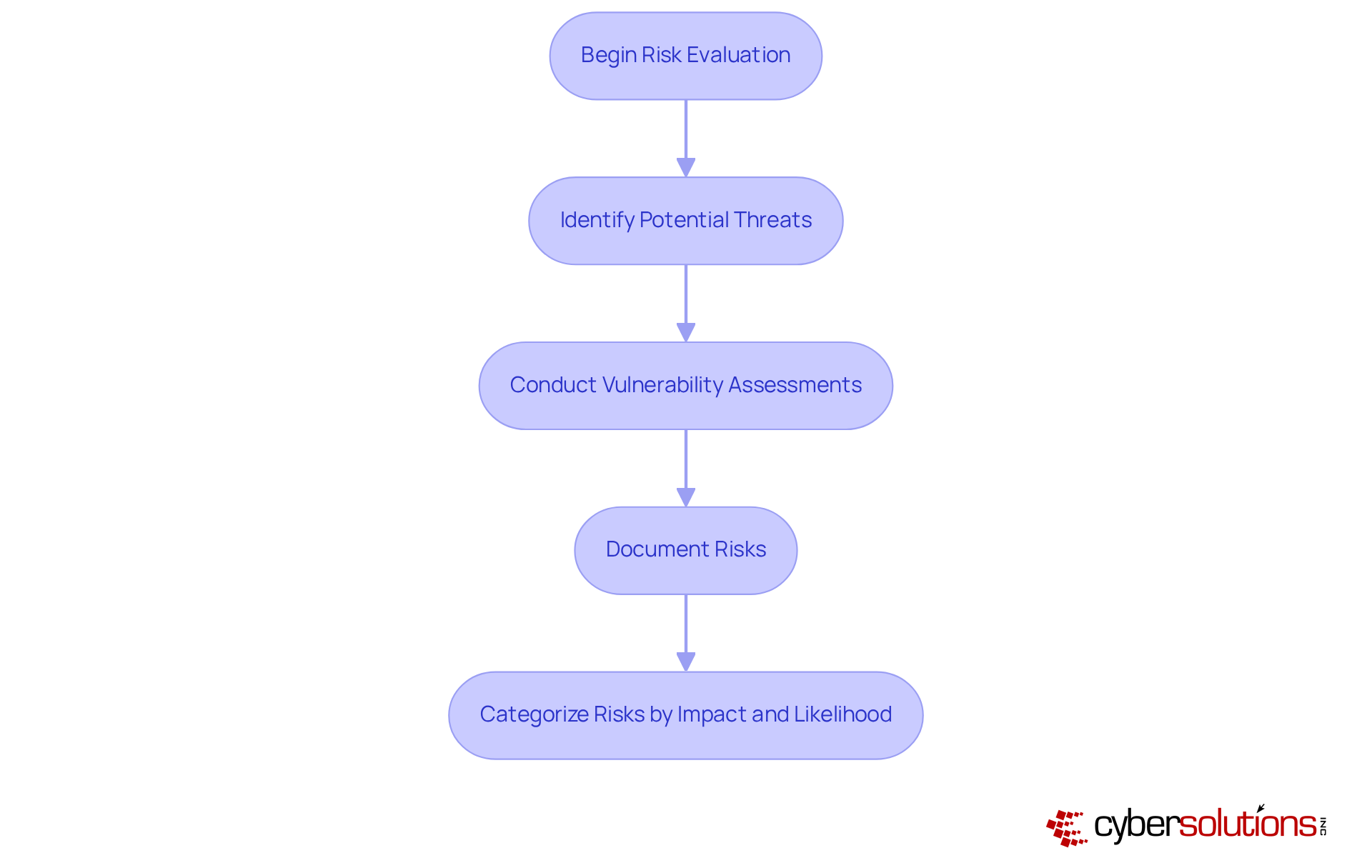
Begin with a thorough assessment to identify potential threats to your organization. These threats can range from cyber attacks to hardware malfunctions and software failures. Did you know that a staggering number of businesses experience data loss? This statistic highlights the critical need for vigilance in this area.
Utilize vulnerability scans to uncover weaknesses within your systems. These assessments are essential for pinpointing risks that could impact the business continuity and lead to significant losses. Document these risks meticulously and categorize them based on their potential impact and likelihood. This structured analysis will not only guide your restoration strategies but also enable you to prioritize which systems to protect. By doing so, you enhance your organization’s resilience against both man-made and natural disasters.
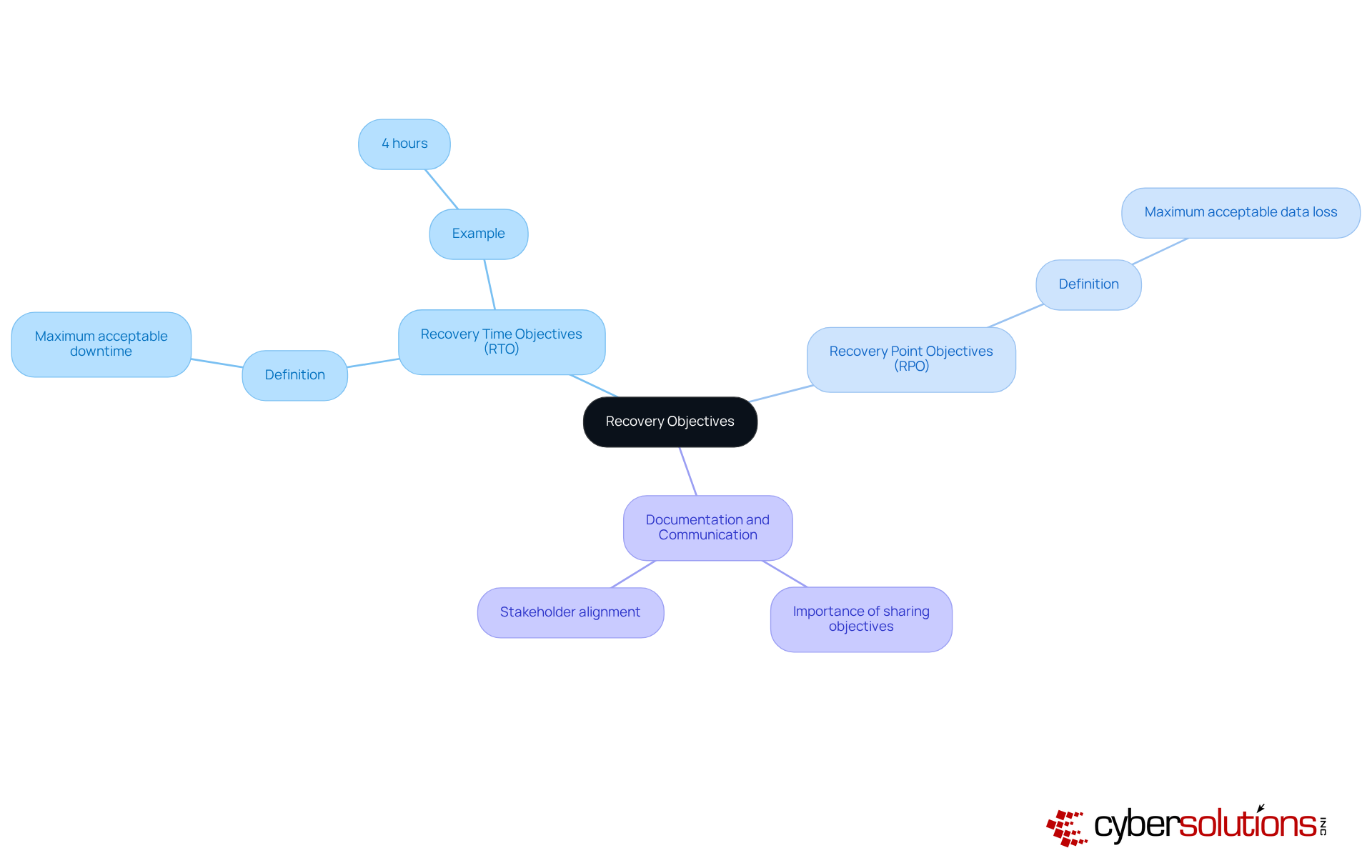
Establishing your objectives and metrics for each critical system is essential in today’s business environment. RTO represents the recovery time objective, while RPO indicates the maximum acceptable data loss. For instance, if your RTO is set at 4 hours, your strategy must guarantee that systems can be restored within that timeframe.
Clearly documenting these objectives is crucial. Communicate them effectively to all stakeholders to ensure alignment and accountability. This proactive approach not only enhances operational efficiency but also reinforces trust among your team and clients. Are you prepared to take the next steps in your planning?
Choosing a suitable backup solution is crucial for your organization. With the increasing volume of data, the speed of recovery, and the need for robust security measures, it's essential to adopt a strategy that effectively protects your information. Enter the 3-2-1 strategy: a foundational approach that recommends maintaining three copies of your data across two different media types, with one copy securely stored offsite. This strategy is vital for minimizing the risk of data loss due to hardware failures, software issues, or natural disasters.
Regular testing of backups is not just a recommendation; it’s essential. Confirming the integrity of your backups ensures successful restoration when you need it most. Documenting your backup processes and procedures as part of an overall plan fosters consistency and reliability, enabling your organization to respond effectively in the event of a disaster. As organizations increasingly adopt cloud-based solutions, trends indicate a shift towards technologies that enhance efficiency and reduce the risk of human error.
IT professionals emphasize that implementing the 3-2-1 strategy not only safeguards critical data but also aligns with business continuity and operational resilience in today’s digital landscape. Are you ready to take the necessary steps to protect your organization’s data?

Establishing a timetable for routine assessments of your disaster recovery plan is crucial. This includes both tabletop exercises and comprehensive simulations that test your organization's preparedness. During these tests, identifying and confirming Recovery Time Objectives (RTO) and Recovery Point Objectives (RPO) is essential to ensure your strategy aligns with business needs.
Assessing response times, communication effectiveness, and the overall process is vital. Document every aspect of the drill scenarios, actions, results, and lessons learned. Gathering feedback from participants will help pinpoint weaknesses. This iterative method allows for modifications to the plan based on test outcomes, promoting resilience of your organization.
Regular drills not only bolster organizational readiness but also minimize potential downtime and protect your business's reputation during disruptions. A recent case study illustrates this: having an expert physically present within a day significantly contained threats, enabled quicker restoration, and led to enhanced security measures to protect patient data and operations.
As Fred Romero, Chief Technology Officer at Consilien, states, "Assessments are essential for any organization that wants to remain resilient in the face of unexpected disruption." By prioritizing these assessments, you can ensure your organization is prepared to face any challenge head-on.
Conducting training sessions for all team members involved in the process is not just beneficial; it’s essential for effective disaster response. A blend of workshops, simulations, and practical activities educates staff about the strategy, ensuring clarity in their specific roles and responsibilities. Alarmingly, studies from 2026 indicate that only 30% of organizations conduct regular training. This statistic underscores a significant gap in this area.
Frequent updates to training materials are vital to reflect any changes in strategy or organizational structure. Engaging team members through questions and discussions fosters a culture of preparedness, significantly enhancing overall readiness. Effective training programs, particularly those that incorporate real-world scenarios and collaborative drills, have proven successful in reinforcing skills and knowledge.
As Fred Romero, Chief Technology Officer at Consilien, aptly states, "Drills test whether your systems and team can meet those objectives in practice, not just on paper." This statement emphasizes the crucial role of continuous training in mitigating the effects of interruptions, making it a fundamental element of the disaster recovery plan. Furthermore, case studies, including those conducted by Consilien, illustrate that regular drills not only validate response plans but also enhance documentation and ensure alignment with best practices. This further highlights the significance of thorough training in fostering a robust response capability.

In today's digital landscape, the importance of cybersecurity cannot be overstated, especially in healthcare. With increasing threats, CFOs face challenges that demand immediate attention. Partnering with a managed service provider like Cyber Solutions, which specializes in IT security, is a strategic move to safeguard your organization.
When evaluating potential partners, consider their experience, service offerings, and client testimonials. It's crucial to ensure they can meet your specific needs, including:
Cyber Solutions excels in providing continuous monitoring to detect anomalies and potential vulnerabilities, ensuring swift action to prevent downtime or breaches. Establishing clear communication channels and service level agreements is essential for accountability and responsiveness. This partnership allows you to benefit from tailored managed IT services designed specifically for your organization.
By choosing Cyber Solutions, you not only enhance your cybersecurity posture but also gain a trusted ally in navigating the complexities of today's threat landscape. Don't wait for a breach to occur - take proactive steps to protect your organization today.
Establishing a robust IT disaster recovery plan is not just a precaution; it’s a vital strategy for securing your organization’s future. With many businesses lacking documented emergency response strategies, the urgency for comprehensive planning is undeniable. By systematically identifying risks, setting clear recovery objectives, implementing effective backup solutions, conducting thorough testing, training teams, and partnering with managed service providers, organizations can significantly bolster their resilience against potential disruptions.
Throughout this discussion, we’ve outlined critical steps to create an effective IT disaster recovery plan. From defining the plan and assessing vulnerabilities to establishing recovery objectives and ensuring the integrity of backup solutions, each stage plays a pivotal role in mitigating risks. Regular testing and comprehensive training further enhance team preparedness, ensuring every member understands their responsibilities during a crisis. Moreover, partnering with managed service providers adds an essential layer of security and expertise, making it a crucial component of a modern disaster recovery strategy.
As organizations navigate an increasingly complex digital landscape, the importance of a well-structured IT disaster recovery plan cannot be overstated. Taking proactive steps now to develop and implement these strategies is crucial for ensuring business continuity and protecting against potential financial losses. Leaders must prioritize disaster recovery planning - not just to comply with best practices but to secure their organization’s future in the face of unforeseen challenges.
What is the purpose of an IT disaster recovery plan?
The purpose of an IT disaster recovery plan is to safeguard an organization by outlining strategies for responding to emergencies, ensuring the protection of essential IT systems and information, and aligning with the overall business continuity strategy.
How many organizations have documented emergency response strategies as of 2026?
As of 2026, only 54% of organizations have documented emergency response strategies.
What are the consequences of inadequate emergency planning?
Inadequate emergency planning can lead to significant vulnerabilities, with 50% of organizations not evaluating their emergency response strategies annually, potentially resulting in costly disruptions and operational failures.
What financial impact can data loss have on companies?
Companies that experience data loss lasting 10 days or more risk declaring bankruptcy within a year, as 93% of such firms do.
What steps should be taken to identify risks and vulnerabilities in an IT disaster recovery plan?
Begin with a thorough risk evaluation to identify potential threats, utilize vulnerability assessments to uncover weaknesses in systems, and document these risks while categorizing them based on their potential impact and likelihood.
What types of threats should organizations consider in their risk evaluations?
Organizations should consider threats such as natural disasters, cyberattacks, hardware malfunctions, and human errors.
Why is it important to document and categorize risks?
Documenting and categorizing risks is important because it guides restoration strategies and helps prioritize which systems to restore first, enhancing the organization’s resilience against threats.
What percentage of cyber incidents arise from human mistakes?
A staggering 90% of all cyber incidents arise from human mistakes, highlighting the need for vigilance in risk management.
Managed IT Service Provider | Cyber Security | Incident Response | Compliance As A Service | Hosted Phone Service | Managed Security Service Provider | AI As A Service